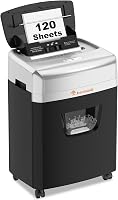
6 Best Bonsaii Paper Shredders (October 2026)
The best Bonsaii paper shredders include the Bonsaii 12-Sheet Micro-Cut Shredder for routine home paperwork, the Bonsaii 120-Sheet Auto-Feed Micro-Cut Shredder for weekly paper stacks, and the Bonsaii 12-Sheet Cross-Cut Shredder for occasional desk cleanups.
On this page (10 sections)
- Which Bonsaii paper shredder fits your workload?
- Compare Bonsaii paper shredders by capacity and cut
- What should you know about each Bonsaii paper shredder?
- How do you choose between Bonsaii micro-cut and cross-cut?
- Is auto-feed worth it on a Bonsaii paper shredder?
- Which Bonsaii shredder works for longer jobs?
- How should you set up a Bonsaii shredder?
- How do you care for the cutters and basket?
- Which common mistakes should you avoid?
- Which Bonsaii paper shredder should you choose?
The Bonsaii 12-Sheet Micro-Cut Shredder is the best Bonsaii paper shredder for routine home office paperwork. Choose an auto-feed model for recurring stacks of loose paper, or the 18-sheet cross-cut model when you want to sort and feed documents through a longer session.
Start with how your paper arrives: a few statements each day, a weekly pile or boxes of old files. That pattern matters more than buying the largest sheet capacity.
Our picks at a glance
-
1
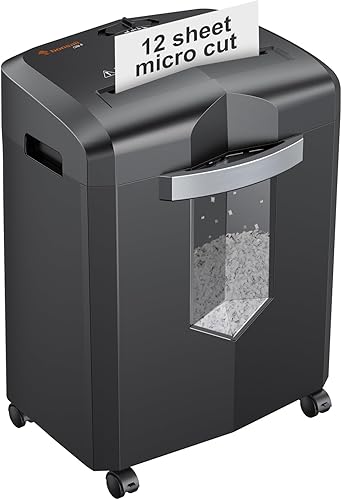 Best for routine home paperwork
Bonsaii 12-Sheet Micro-Cut Shredder
8.9/10 our score
See it on Amazon -
2
 Best for weekly paper stacks
Bonsaii 120-Sheet Auto-Feed Micro-Cut Shredder
8.7/10 our score
See it on Amazon -
3
 Best for occasional desk cleanups
Bonsaii 12-Sheet Cross-Cut Shredder
8.4/10 our score
See it on Amazon
- 4
 Check it
Bonsaii 200-Sheet Auto-Feed Micro-Cut Shredder
Best for large file clearouts - 5
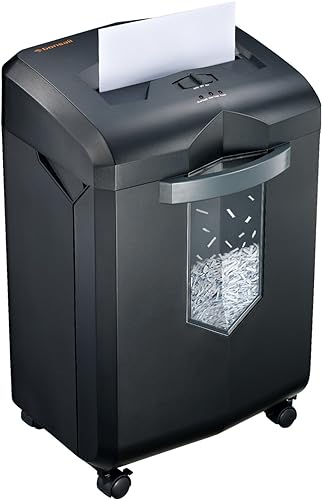 Check it
Bonsaii 18-Sheet Cross-Cut Shredder
Best for long manual sessions - 6
 Check it
Bonsaii 15-Sheet Cross-Cut Shredder
Best for scheduled paperwork sessions
Which Bonsaii paper shredder fits your workload?
Choose manual feed for small, varied jobs and auto-feed for stacks of eligible loose paper. Then compare the bin, cooling breaks and supported materials against the work you actually need to finish.
The top pick balances routine use with smaller paper pieces, but it isn't the answer for every office. A long manual session and a large auto-feed batch call for different machines.
Bonsaii 12-Sheet Micro-Cut Shredder: Best for routine home paperwork
- 12 sheets per pass
- P-4 micro-cut
- Up to 20 minutes continuous run time
- 4.2-gallon pullout bin
Choose this manual-feed model for regular bills, statements and personal records. Its smaller paper pieces suit buyers who want micro-cut output without an auto-feed tray.
Pros
- Accepts CDs, cards, staples and paper clips
- Casters for moving between work areas
- Visible bin window
Cons
- Smallest bin in this group
- Each batch needs manual feeding
Bonsaii 120-Sheet Auto-Feed Micro-Cut Shredder: Best for weekly paper stacks
- 120-sheet paper auto-feed
- P-4 micro-cut
- Up to 30 minutes in auto mode
- 5.9-gallon pullout bin
The auto-feed tray suits recurring stacks of loose paper. A separate manual entry handles small jobs and supported nonpaper items, though its shorter duty cycle matters for mixed paperwork.
Pros
- Auto-feed reduces repeated hand feeding
- Separate manual entry for supported items
- Bin window and casters
Cons
- Auto tray accepts paper only
- Both modes require a 60-minute cooling break after their run limit
Bonsaii 12-Sheet Cross-Cut Shredder: Best for occasional desk cleanups
- 12 sheets per pass
- P-4 cross-cut
- Up to 15 minutes continuous run time
- 5.5-gallon pullout bin
Pick this model for short manual sessions when a larger basket matters more than micro-cut output. It also accepts CDs, nonmetal credit cards and staples.
Pros
- Larger bin than the 12-sheet micro-cut model
- Stops when the basket is removed
- Manual reverse control
Cons
- Shortest continuous run time here
- Larger paper pieces than the micro-cut picks
Bonsaii 200-Sheet Auto-Feed Micro-Cut Shredder: Best for large file clearouts
- 200-sheet letter-paper auto-feed
- P-4 micro-cut
- Up to 60 minutes in auto mode
- 8.1-gallon pullout bin
This is the pick for substantial stacks of eligible letter-size paper. Its large basket supports that workload, while the separate manual entry handles supported cards and fasteners.
Pros
- Largest auto-feed tray and bin here
- Includes 12 lubricant sheets
- Auto-sleep after 10 minutes of inactivity
Cons
- Auto mode requires eligible letter-size paper
- Manual run time is shorter than auto run time
Bonsaii 18-Sheet Cross-Cut Shredder: Best for long manual sessions
- 18 sheets per pass
- P-4 cross-cut
- Up to 60 minutes continuous run time
- 6-gallon pullout bin
Choose this model when you want to sort and feed documents throughout a longer session. It has the largest manual-feed capacity in this group and a pullout basket with a clear window.
Pros
- Highest manual sheet capacity here
- Auto start, stop and reverse
- Casters and visible bin window
Cons
- Every batch needs manual feeding
- Requires a 10-minute cooling break after continuous use
Bonsaii 15-Sheet Cross-Cut Shredder: Best for scheduled paperwork sessions
- 15 sheets per pass
- P-4 cross-cut
- Up to 40 minutes continuous run time
- 5-gallon pullout bin
This model suits a planned shredding session with time afterward for cooling. Its manual capacity falls between the smaller cross-cut pick and the 18-sheet option.
Pros
- Accepts mail, CDs, cards and staples
- Overload and overheating indicators
- Auto start, stop and reverse
Cons
- Overheating requires 40 minutes of cooling
- Smaller bin than the other cross-cut picks
CrispTally compared feed modes, cut sizes, duty cycles, wastebasket capacity and material support. The order favors everyday home office needs, so a lower-ranked model can still be the right choice for a larger workload.
Compare Bonsaii paper shredders by capacity and cut
Compare manual capacity with manual capacity, and auto-feed capacity with auto-feed capacity. A tray holding a large stack draws paper into the cutters gradually; it doesn't shred the whole stack in one pass.
| Product | Best for | Cut type | Capacity | Continuous run time | Our score |
|---|---|---|---|---|---|
| Bonsaii 12-Sheet Micro-Cut Shredder | routine home paperwork | Micro-cut, P-4 | 12 sheets per pass | Up to 20 minutes | 8.9 |
| Bonsaii 120-Sheet Auto-Feed Micro-Cut Shredder | weekly paper stacks | Micro-cut, P-4 | 8.7 | ||
| Bonsaii 12-Sheet Cross-Cut Shredder | occasional desk cleanups | Cross-cut, P-4 | 12 sheets per pass | Up to 15 minutes | 8.4 |
| Bonsaii 200-Sheet Auto-Feed Micro-Cut Shredder | large file clearouts | Micro-cut, P-4 | 8.3 | ||
| Bonsaii 18-Sheet Cross-Cut Shredder | long manual sessions | Cross-cut, P-4 | 18 sheets per pass | Up to 60 minutes | 8.2 |
| Bonsaii 15-Sheet Cross-Cut Shredder | scheduled paperwork sessions | Cross-cut, P-4 | 15 sheets per pass | Up to 40 minutes | 8.0 |
Run time also belongs to a specific mode. Before choosing an auto-feed machine, check whether its manual entry can handle the separate pile of mail, cards and other supported items you expect to shred.
For a broader explanation of feed styles and other features, start with our complete paper shredder buying guide.
What should you know about each Bonsaii paper shredder?
Buy the model that removes your main bottleneck: repeated feeding, frequent emptying or cooling breaks. The product notes below explain where each choice fits and when to move to another option.
Bonsaii 12-Sheet Micro-Cut Shredder
Bonsaii 12-Sheet Micro-Cut Shredder: Best for routine home paperwork
- 12 sheets per pass
- P-4 micro-cut
- Up to 20 minutes continuous run time
- 4.2-gallon pullout bin
Choose this manual-feed model for regular bills, statements and personal records. Its smaller paper pieces suit buyers who want micro-cut output without an auto-feed tray.
Pros
- Accepts CDs, cards, staples and paper clips
- Casters for moving between work areas
- Visible bin window
Cons
- Smallest bin in this group
- Each batch needs manual feeding
Choose this model for routine bills, statements and personal records that you sort before feeding. Its 12-sheet manual capacity and up to 20-minute run time suit a regular paperwork session without requiring an auto-feed tray.
The paper output measures 5 x 12 mm. That gives you smaller pieces than the cross-cut options here, while keeping the same P-4 security classification.
Its 4.2-gallon pullout bin is the smallest in this group, so basket checks should be part of your routine. The visible window helps you judge when to empty it, and four casters let you move it between work areas.
Credit cards, staples, paper clips and CDs are supported. Follow the manual's feed instructions for each material rather than mixing them into a paper batch.
Skip it for a large file backlog if you want to avoid standing beside the machine. Repeated manual feeding will remain part of the job, even when the motor has run time left.
For a household that shreds little and often, that tradeoff is reasonable. If your records require a particular destruction standard, use our paper shredder security levels guide before choosing by cut name.
Bonsaii 120-Sheet Auto-Feed Micro-Cut Shredder
Bonsaii 120-Sheet Auto-Feed Micro-Cut Shredder: Best for weekly paper stacks
- 120-sheet paper auto-feed
- P-4 micro-cut
- Up to 30 minutes in auto mode
- 5.9-gallon pullout bin
The auto-feed tray suits recurring stacks of loose paper. A separate manual entry handles small jobs and supported nonpaper items, though its shorter duty cycle matters for mixed paperwork.
Pros
- Auto-feed reduces repeated hand feeding
- Separate manual entry for supported items
- Bin window and casters
Cons
- Auto tray accepts paper only
- Both modes require a 60-minute cooling break after their run limit
Choose this model for a recurring stack of loose paper that you can prepare before loading. The auto-feed tray holds up to 120 sheets, reducing the number of times you need to return to the paper entry.
Auto mode runs for up to 30 minutes, followed by 60 minutes off. Its separate manual entry takes up to 12 sheets but has a shorter duty cycle: 10 minutes on, then 60 minutes off.
That difference makes this a stronger choice for prepared paper stacks than for extended manual shredding. Mail, nonmetal credit cards and staples belong in the supported manual feed, not the paper-only auto tray.
The 5.9-gallon basket gives the output more room than the top pick's bin. Its pullout design and casters help with emptying and placement, while the paper output is 4 x 12 mm.
Skip it if most of your work needs the manual slot. You would be buying an auto-feed feature while working around the shorter manual run limit.
Prepare the stack before starting, and plan the cooling break into your schedule. This model suits a weekly paper routine better than repeated sessions that must run back to back.
Bonsaii 12-Sheet Cross-Cut Shredder
Bonsaii 12-Sheet Cross-Cut Shredder: Best for occasional desk cleanups
- 12 sheets per pass
- P-4 cross-cut
- Up to 15 minutes continuous run time
- 5.5-gallon pullout bin
Pick this model for short manual sessions when a larger basket matters more than micro-cut output. It also accepts CDs, nonmetal credit cards and staples.
Pros
- Larger bin than the 12-sheet micro-cut model
- Stops when the basket is removed
- Manual reverse control
Cons
- Shortest continuous run time here
- Larger paper pieces than the micro-cut picks
Choose this model for short desk cleanups with a larger basket. Its 5.5-gallon pullout bin gives you more waste capacity than the top pick without moving to an auto-feed machine.
It accepts up to 12 sheets of letter-size, 20 lb paper per pass and runs continuously for up to 15 minutes. That makes it a fit for paperwork you handle regularly rather than save for a long clear-out.
The cross-cut output measures 5 x 25 mm and meets P-4 security. Choose the micro-cut top pick if smaller pieces are your main preference.
CDs, nonmetal credit cards and staples are supported. Auto start and stop handle normal feeding, while manual reverse gives you a control for backing paper out as directed.
The shredder stops when the basket is pulled out, and the clear window helps you check the fill level. Keep space in front of the machine so emptying doesn't become a reason to delay it.
Skip this option for long manual sessions. The shorter continuous run time is its main limitation within this group, especially if you let paperwork build up.
Our Bonsaii 12-sheet cross-cut review takes a closer look at this model's role in a home office.
Bonsaii 200-Sheet Auto-Feed Micro-Cut Shredder
Bonsaii 200-Sheet Auto-Feed Micro-Cut Shredder: Best for large file clearouts
- 200-sheet letter-paper auto-feed
- P-4 micro-cut
- Up to 60 minutes in auto mode
- 8.1-gallon pullout bin
This is the pick for substantial stacks of eligible letter-size paper. Its large basket supports that workload, while the separate manual entry handles supported cards and fasteners.
Pros
- Largest auto-feed tray and bin here
- Includes 12 lubricant sheets
- Auto-sleep after 10 minutes of inactivity
Cons
- Auto mode requires eligible letter-size paper
- Manual run time is shorter than auto run time
Choose this model for larger batches of eligible letter-size documents. Its auto-feed tray accepts up to 200 sheets of 20 lb letter paper and supports up to 60 minutes of continuous operation in that mode.
The separate manual entry takes up to 12 sheets and accepts credit cards, staples and paper clips. Its continuous run limit is 30 minutes, so keep the two modes' limits separate when planning a job.
The 8.1-gallon pullout basket is the largest here. It makes sense alongside the larger tray because a batch-oriented shredder still needs room for the shredded output.
Wheels help with moving the machine, but it weighs 33.9 pounds. Plan a regular floor position rather than expecting to lift it onto a shelf after every use.
It produces 4 x 12 mm paper pieces, includes 12 lubricant sheets and enters auto-sleep after 10 minutes of inactivity. Follow the care instructions for when and how to use the included sheets.
Skip it for occasional handfuls of paperwork or a backlog dominated by materials that cannot use the auto tray. The larger format pays off when your documents match its feed requirements.
Read our Bonsaii 200-sheet auto-feed review if this is your likely choice.
Bonsaii 18-Sheet Cross-Cut Shredder
Bonsaii 18-Sheet Cross-Cut Shredder: Best for long manual sessions
- 18 sheets per pass
- P-4 cross-cut
- Up to 60 minutes continuous run time
- 6-gallon pullout bin
Choose this model when you want to sort and feed documents throughout a longer session. It has the largest manual-feed capacity in this group and a pullout basket with a clear window.
Pros
- Highest manual sheet capacity here
- Auto start, stop and reverse
- Casters and visible bin window
Cons
- Every batch needs manual feeding
- Requires a 10-minute cooling break after continuous use
Choose this model for long sessions where you sort and feed as you go. Its 18-sheet capacity is the largest manual-feed capacity here, and it runs continuously for up to 60 minutes.
That combination fits a workflow with several folders to review before destruction. You retain control over each batch instead of preparing a full auto-feed stack at the start.
Bonsaii specifies a 10-minute cooling break after continuous use. This makes the rest period worth comparing alongside the run limit, especially when you expect to resume work the same day.
Its 6-gallon pullout basket has a clear window, and casters help with moving it. Paper is cut into 5 x 25 mm pieces at P-4 security, with credit cards and staples also supported.
Auto start, stop and reverse help manage feeding. They don't remove the need to reduce the batch when paper is thick, folded or feeding unevenly.
Skip it if repeated hand feeding is the task you want to avoid. A larger manual capacity reduces passes, but an auto-feed tray changes how you spend time on the job.
This is the clearest choice here for buyers who prefer manual control and need a longer work period.
Bonsaii 15-Sheet Cross-Cut Shredder
Bonsaii 15-Sheet Cross-Cut Shredder: Best for scheduled paperwork sessions
- 15 sheets per pass
- P-4 cross-cut
- Up to 40 minutes continuous run time
- 5-gallon pullout bin
This model suits a planned shredding session with time afterward for cooling. Its manual capacity falls between the smaller cross-cut pick and the 18-sheet option.
Pros
- Accepts mail, CDs, cards and staples
- Overload and overheating indicators
- Auto start, stop and reverse
Cons
- Overheating requires 40 minutes of cooling
- Smaller bin than the other cross-cut picks
Choose this model for a planned paperwork session followed by downtime. Its 15-sheet manual capacity sits between the other cross-cut choices, with up to 40 minutes of continuous shredding.
The cooling requirement is central to the decision. If extended use triggers overheating protection, the machine needs 40 minutes to cool before work resumes.
That schedule can fit a home office where shredding is one task among several. It is less suitable when you need to return quickly to a waiting pile.
The 5-gallon pullout basket has a clear window, and swivel casters help with repositioning. It produces 5 x 25 mm pieces at P-4 security and accepts paper, mail, CDs, credit cards and staples.
Auto start, stop and reverse controls are joined by overload and overheating indicators. Read those signals before adding more material rather than treating every stop as a paper jam.
Skip it for frequent back-to-back jobs if the long cooling pause would interrupt your day. The 18-sheet cross-cut option is the more useful comparison for that workload.
Choose this middle option when its session length fits your schedule and you don't need the highest manual capacity.
How do you choose between Bonsaii micro-cut and cross-cut?
Choose micro-cut for smaller paper pieces, then compare feed style and duty cycle. All six shredders here have P-4 security, so the cut names don't put these models into separate security classes.
The micro-cut choices produce shorter fragments than the cross-cut choices in this group. That is a useful distinction, but it doesn't make every micro-cut machine the better fit for every workload.
A home user handling ordinary personal records should balance the output with feeding effort and maintenance. An office following a document policy should confirm the required security level before choosing any model.
If your policy requires P-5, none of these P-4 choices meets that requirement. A small-looking fragment isn't a substitute for the specified classification.
Our micro-cut vs cross-cut comparison explains the output difference. Use the P-4 vs P-5 guide when the security requirement is the deciding factor.
Is auto-feed worth it on a Bonsaii paper shredder?
Auto-feed is worth choosing when preparing one eligible stack replaces many manual passes. It offers less benefit if most of your material consists of unopened mail, cards or other items needing separate handling.
Think about your last few shredding jobs rather than your largest possible backlog. A tray can save repeated feeding, but sorting, removing unsuitable materials and emptying the basket remain part of the work.
Keep only supported paper in the auto tray. Align the stack, remove folds that prevent it from sitting properly and follow the manual's loading directions without pressing extra sheets into place.
Treat auto-feed as reduced feeding work, not permission to ignore the machine. Follow its supervision instructions and stay available to respond to a full bin, feed problem or stop signal.
Choose the smaller auto-feed model when your recurring stack fits its tray and cooling schedule. Move to the larger version when larger eligible batches are a normal part of your routine.
Our guide to auto-feed shredders compares this format with other options if you want to look beyond Bonsaii.
Which Bonsaii shredder works for longer jobs?
Choose the 18-sheet cross-cut model for long manual work or the larger auto-feed model for prepared paper stacks. Their longest duty cycles apply to different ways of feeding documents.
Separate three limits before buying: sheets per pass, continuous run time and the cooling period afterward. A strong result in one doesn't cancel the others.
A maximum sheet count is a ceiling for suitable paper, not a target for every pass. Thick sheets, folded pages and uneven bundles can require smaller batches.
Run time is also different from completion time. Sorting documents, clearing the feed area and emptying the basket all affect how long the full job takes.
For recurring large clear-outs, plan those tasks rather than judging the machine only by motor run time. Our best heavy-duty paper shredders guide offers more options for demanding workloads.
How should you set up a Bonsaii shredder?
Set the shredder on a stable, level surface with room to load and empty it. Read the model's assembly and operating instructions before connecting power.
Check that the basket, head and any required covers are seated correctly. A safety interlock can keep a shredder from starting when a part is out of position, so check assembly before assuming a fault.
Leave access to the pullout basket and any lid that must open for loading. Keep the cord out of walking routes and avoid positioning the feed opening where loose fabric can fall into it.
Keep children, pets, hair, jewelry and loose sleeves away from the entry. Never reach toward moving cutters, and keep aerosols away from the shredder and its storage area.
Start with a small batch of plain, dry paper to learn the controls and feed direction. Add supported specialty materials only after checking their correct entry and handling instructions.
Place separate piles for documents to keep, papers to shred and items the machine cannot accept. This makes the decision before a page reaches the cutters.
How do you care for the cutters and basket?
Empty the basket before scraps crowd the cutter outlet, and lubricate only as your model's manual directs. Regular care is easier when suitable supplies and the disposal container are nearby.
Paper can mound beneath the outlet before the basket looks evenly full. Stop the machine and follow its instructions for emptying instead of pushing scraps down toward the cutters.
Turn the unit off and unplug it before any manual cleaning allowed by the instructions. Don't reach into the cutting assembly or use sharp objects to dig out trapped material.
Use an approved shredder lubricant or suitable lubricant sheets as directed. Avoid household sprays and improvised oils, and don't assume every lubricant should be applied the same way.
Our paper shredder oiling guide explains general care methods. Let the instructions for your exact model determine the product, amount and schedule.
If a thermal protection signal appears, allow the required cooling period. Switching repeatedly between forward and reverse doesn't replace cooling and can turn a simple pause into a longer interruption.
Which common mistakes should you avoid?
Avoid overloading, using the wrong feed and shredding documents before checking retention needs. These mistakes affect both the machine and the records you're trying to manage.
Counting sheets without checking thickness
Use fewer sheets when paper is heavier, creased or folded. A folded page creates extra layers, and a mixed bundle can feed less evenly than a flat stack.
Putting every supported item in every entry
A machine may accept a card through its manual slot while allowing only paper in its auto tray. Check the material and the entry together, and never assume metal credit cards are acceptable.
Treating reverse as an undo button
Check each batch before feeding it. Reverse may help back out paper during a feed problem, but it cannot restore a document once the cutters have destroyed part of it.
Forcing a stalled stack
Stop adding paper when feeding slows or a warning appears. Follow the manual's clearing procedure instead of pushing harder, bypassing a safety switch or reaching into the opening.
Shredding the whole contents of a folder
Separate records to keep from duplicates and papers ready for destruction. Our guide to what documents you should shred at home helps you make that first sorting decision.
Which Bonsaii paper shredder should you choose?
Choose your Bonsaii paper shredder by the job you repeat most often. Buy for a rare backlog only if that backlog justifies living with the larger machine afterward.
- Routine household records: Choose the 12-sheet micro-cut model for smaller paper pieces and regular manual batches.
- Weekly loose-paper stacks: Choose the 120-sheet auto-feed model if its cooling schedule fits your routine.
- Short desk cleanups: Choose the 12-sheet cross-cut model when basket space matters more than a longer session.
- Large eligible paper stacks: Choose the 200-sheet auto-feed model to reduce repeated loading.
- Long manual work: Choose the 18-sheet cross-cut model when you want to sort and feed throughout the job.
- Planned sessions with downtime: Choose the 15-sheet cross-cut model when you can leave time afterward for cooling.
Before ordering, set aside one typical batch and check its paper size, materials and volume. That small step gives you a clearer answer than choosing the biggest number on the box.
For more choices across brands, browse our best paper shredders for a home office.
Our top 3 picks at a glance
-
1
Best for routine home paperwork
Bonsaii 12-Sheet Micro-Cut Shredder
8.9/10 our score
See it on Amazon -
2
Best for weekly paper stacks
Bonsaii 120-Sheet Auto-Feed Micro-Cut Shredder
8.7/10 our score
See it on Amazon -
3
Best for occasional desk cleanups
Bonsaii 12-Sheet Cross-Cut Shredder
8.4/10 our score
See it on Amazon
Frequently asked questions
Which Bonsaii paper shredder is best for home use?
The Bonsaii 12-Sheet Micro-Cut Shredder is the best fit for routine home paperwork. It combines smaller paper pieces with enough continuous run time for a regular sorting session.
Choose an auto-feed model instead if you often collect a stack of loose documents and want to reduce repeated hand feeding.
Is a Bonsaii micro-cut shredder better than cross-cut?
Micro-cut is the better choice if you want smaller paper pieces, but all six models here have P-4 security. Feed style and cooling breaks may matter more to your daily routine.
Our micro-cut vs cross-cut shredder guide explains how the two formats differ and what to compare before buying.
What is the difference between Bonsaii auto-feed modes?
The 120-sheet model accepts smaller paper stacks and runs for up to 30 minutes in auto mode, followed by 60 minutes off. The 200-sheet model accepts eligible letter paper and runs for up to 60 minutes in auto mode.
Both have separate manual entries with their own limits.
How many sheets should a home office shredder handle?
A 12-sheet model suits small batches, while a higher manual capacity reduces the number of passes for larger piles. Paper thickness and condition affect how much you should feed at once.
Use our shredder sheet capacity guide to match the maximum capacity to your usual documents and workload.
How can I help prevent a Bonsaii paper shredder jam?
Feed flat, dry paper within the limit for the correct entry, and empty the basket before scraps build up beneath the cutters. Remove unsupported materials and follow cooling instructions.
If a jam occurs, follow the manual and our paper shredder jam guide, unplugging before any permitted clearing by hand.