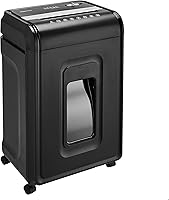
Paper Shredder Security Levels Explained
Paper shredder security levels P-1 to P-7 rank how finely a machine cuts paper. Start with P-4 for everyday personal records, then choose a higher level if your documents or workplace policy require it.
On this page (8 sections)
- What do paper shredder security levels P-1 to P-7 mean?
- How should you choose a P-level for your documents?
- What is the difference between cross-cut and micro-cut?
- Which feeding style fits your paper pile?
- How do capacity and run time affect your choice?
- How should you set up and care for a shredder?
- What mistakes cause jams or weaken privacy?
- Which paper shredder security level should you choose?
Paper shredder security levels P-1 to P-7 describe how finely a machine cuts paper, with higher numbers allowing smaller pieces. P-4 is a practical starting point for everyday household records; choose a higher level when the information or your workplace policy calls for it.
Choose the security level first, then find a machine that suits your paper pile. A finer cut, a larger feed tray, and a longer run time solve different problems.
What do paper shredder security levels P-1 to P-7 mean?
P-1 is the lowest level and P-7 is the highest. The scale sets limits on shredded paper size, helping you compare the output of different machines.
The P-level scale is part of DIN 66399, a standard for media destruction. The letter P refers to paper, so don't assume a paper security level also describes how securely a machine destroys discs or other media.
| Level | What it means for your choice |
|---|---|
| P-1 | Coarse output for papers with little sensitivity |
| P-2 | Finer than P-1, but still a low-security choice |
| P-3 | A step toward smaller pieces, below the P-4 starting point used here |
| P-4 | A practical comparison point for everyday personal records |
| P-5 | Smaller particles for information needing more protection |
| P-6 | A higher level for highly sensitive information |
| P-7 | The highest paper security level in this scale |
These are buying comparisons, not permission to destroy a particular kind of record. A workplace requirement takes priority over a general recommendation.
Higher levels make reconstruction harder, but secure disposal also depends on how you handle the paper before shredding. Leaving a readable stack beside the machine defeats the purpose of choosing a finer cut.
How should you choose a P-level for your documents?
Choose a level that meets the sensitivity of your records and any required policy. Start with P-4 for routine personal paperwork, then consider P-5 or higher when the information needs greater protection.
Look at the details together, rather than judging a page by its heading. A routine-looking letter can combine a name, address, account number, and other information you wouldn't want exposed.
Use this order before buying:
- Sort the records. Separate papers to keep from papers ready for destruction.
- Check required standards. Find out whether your employer or organization specifies a security level.
- Choose the cut level. Set this before comparing convenience features.
- Estimate the workload. Count a normal pile and think about how often you'll shred it.
Our guide to what documents you should shred at home helps with the first step. Keep retained records secure and separate from the discard pile.
Are paper shredder security levels required for workplace records?
Your workplace policy should guide the choice when you handle work documents. Get the required destruction method before buying a home machine for business papers.
A product described as “high security” isn't enough if the policy names a specific level. All 3 models discussed below are P-4, so none fits a requirement for P-5 or higher.
What is the difference between cross-cut and micro-cut?
Cross-cut and micro-cut describe the cut style; the P-level describes the security classification. Use the stated level and piece dimensions together when comparing machines.
Cross-cut machines cut across paper in 2 directions. Micro-cut generally describes shorter, finer pieces, but the term doesn't guarantee a higher P-level.
For example, the Amazon Basics 24-sheet model produces pieces measuring 4 by 38 mm. The Aurora produces pieces measuring 5/32 by 15/32 inches, while the Amazon Basics auto-feed model cuts to 4 by 20 mm.
All 3 are P-4 despite those different dimensions. The level gives you a common category, while the dimensions show differences within it.
Read micro-cut vs. cross-cut shredders for the cut-style comparison. If the security requirement is your main concern, see [P-4 vs.
P-5 shredders](/p4-vs-p5-shredder/).
Which P-4 micro-cut shredder suits longer sessions?
The Aurora AU1210MA suits people who want finer P-4 pieces and prefer working through papers in smaller manual batches. Its 12-sheet capacity and 60-minute continuous run time fit a seated sorting session better than loading a large tray.
The 5-gallon pull-out bin gives you a removable container for emptying. It also accepts CDs, DVDs, credit cards, and small paper clips, though each material still needs to go through as directed.
Skip it if you want automatic stack feeding or need a security level above P-4. Its smaller paper pieces don't turn it into a P-5 machine.
Which feeding style fits your paper pile?
Choose manual feeding for papers you sort as you go, and auto-feed for prepared stacks. Match the machine to your usual routine rather than the largest pile you've ever saved.
Manual batches: Amazon Basics 24-Sheet Cross-Cut
The Amazon Basics 24-sheet model suits people clearing household files or feeding thicker batches by hand. It accepts up to 24 sheets of 20-pound bond paper and has a 7-gallon pull-out bin.
Its operating cycle is 40 minutes on followed by 50 minutes off. It also accepts staples and small paper clips, plus CDs, DVDs, and credit cards one at a time through the dedicated slot.
Skip it if you want tray feeding or finer pieces like the Aurora's. The larger manual capacity helps with handling paper, but it doesn't raise the security level.
Prepared stacks: Amazon Basics 200-Sheet Auto-Feed
The Amazon Basics 200-sheet model suits people who regularly accumulate stacks ready for destruction. Its automatic tray holds up to 200 sheets, while the separate manual slot accepts up to 10.
The tray supports a 60-minute run, while manual feeding allows 10 minutes before a 45-minute cool-down. Its 8.5-gallon pull-out bin suits larger collections of shredded paper, and staples can stay in the sheets.
Skip it if most of your work goes through the manual slot. The headline capacity belongs to the tray, so it offers little help if you feed documents individually throughout the day.
For the wider buying checklist, use the complete paper shredder buying guide.
How do capacity and run time affect your choice?
Capacity controls batch size, while run time controls how long a session can last. Neither figure tells you the shredding speed by itself.
A long operating window helps with steady work, but it doesn't promise that a full stack will finish within a certain time. Auto-feed capacity also describes what the tray holds, not what you can push through the manual opening.
Treat maximum sheet capacity as a ceiling. Folded pages, thick paper, and envelopes can put more material into the cutters than a simple sheet count suggests.
Choose enough capacity for your normal batches and enough run time for your usual sessions. Don't build a routine around repeatedly triggering the machine's heat protection.
How should you set up and care for a shredder?
Place it where you can feed, empty, and stop it easily, then follow its manual for setup and lubrication. Leave access to the pull-out bin rather than wedging the machine tightly under a desk.
Before the first session:
- Seat the bin and close any access door.
- Keep cords clear of walkways.
- Remove binder clips, batteries, adhesive items, and other unsupported materials.
- Keep hair, loose sleeves, ties, children, and pets away from the opening.
- Sort out records you need to keep before loading paper.
Keep aerosols away from the shredder and don't feed metallic credit cards into these models. Acceptance of paper or plastic cards doesn't mean the cutters accept every material.
Empty the bin before packed shreds obstruct the cutters. Turn off and unplug the machine before removing loose shreds, and never put fingers or tools into the feed opening.
Use only the lubricant and method allowed by the manufacturer. Our guide to how to oil a paper shredder explains the care routine without guessing at a universal schedule.
What mistakes cause jams or weaken privacy?
Overloading and poor sorting create avoidable trouble. Prepare the stack before feeding it, especially when using an automatic tray.
Don't force curled, folded, or mixed-size papers into a stack that the feed system cannot handle. Follow the tray instructions for paper condition, orientation, and accepted materials.
Auto-reverse can help with a jam, but it isn't permission to exceed capacity. Stop adding paper when feeding slows or the machine signals an overload.
If it stops from overheating, let it complete the required cool-down. Repeatedly trying to restart it won't shorten that wait.
For a blockage, follow the machine's instructions and our guide to clearing a paper shredder jam. Never reach into powered cutters or pour household liquids into the opening.
Keep unshredded discards secure until the next session. Check local recycling rules before disposal, and keep shredded cards or discs separate from paper.
Which paper shredder security level should you choose?
Choose P-4 for routine personal records when no stricter requirement applies, and move to a higher level when the information or policy demands it. None of these 3 models meets a requirement above P-4.
Within that level, pick the Amazon Basics 24-sheet model for larger manual batches, the Aurora for finer pieces during longer manual sessions, or the Amazon Basics auto-feed model for prepared stacks.
Match paper shredder security levels to your records first, then choose the feeding method you'll use regularly. For a final checklist before ordering, read how to choose a paper shredder.
Frequently asked questions
What is the best security level for a home paper shredder?
P-4 is a practical starting point for everyday household records, including bills and statements with personal details. Choose a higher level when the information needs greater protection or a workplace policy requires it, then compare feed style and operating limits so the machine fits your routine.
Is P-5 more secure than P-4?
Yes, P-5 allows smaller paper particles than P-4, making reconstruction harder. Choose it when your records need a finer cut or your organization requires that level, but also compare capacity and run time because the security level does not describe how much paper a machine can process.
Does micro-cut always mean P-5 or higher?
No, micro-cut does not automatically mean P-5 or higher. Check the stated P-level and particle dimensions before buying; the Aurora AU1210MA is a P-4 micro-cut model, so choosing by the cut-style name alone could leave you with a machine that falls below your required security level.
What documents should I shred at home?
Shred papers containing personal, financial, or account details once you no longer need to keep them. Sort out records you still need before feeding a stack, and keep those securely; a shredder's security level cannot help you recover an original document destroyed before its retention period ends.