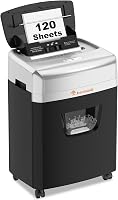
Shredder Sheet Capacity: How Many Sheets Do You Need?
A 12-sheet paper shredder suits routine home-office batches. Choose the Bonsaii cross-cut for its larger bin, Aurora for longer sessions, Bonsaii micro-cut for movable micro-cut use, or Fellowes for its safety lock.
On this page (10 sections)
- How many sheets should a paper shredder handle?
- What does sheet capacity tell you, and what doesn't it tell you?
- Which cut type should you choose?
- Which 12-sheet shredder fits your use?
- How should you compare a shredder's sheet rating?
- How do you set up a shredder for convenient use?
- How many sheets should you feed at a time?
- What care helps prevent avoidable interruptions?
- Which mistakes lead to the wrong capacity choice?
- Which 12-sheet paper shredder should you choose?
A 12-sheet paper shredder is a sensible choice for regular household paperwork and home-office batches. Choose one by how long your usual shredding session lasts, the cut size you need and how often you're willing to empty the bin.
The sheet count describes the stack you can feed, not the whole job the machine can finish. A longer run time may help a file cleanout more than a higher sheet limit.
For the wider picture, our complete paper shredder buying guide explains how capacity fits alongside security, placement and everyday use.
How many sheets should a paper shredder handle?
Choose a capacity that covers your normal stack, rather than buying around the largest pile you've ever saved. A few bills need little feeding capacity, while regular home-office paperwork makes a larger opening allowance useful.
Gather a typical batch before shopping. Separate paper you need to destroy from envelopes, inserts and records you must keep, then judge the remaining workload.
| Your shredding pattern | Capacity to consider |
|---|---|
| A few pages now and then | A lower-capacity model may be enough |
| Regular household paperwork | 8–12 sheets per pass can suit the job |
| Frequent thick batches or backlog clearing | Compare 12-sheet and higher-capacity models, plus run time |
| Many pages without manual feeding | Consider an auto-feed model |
These are starting points, not promises about speed. Paper weight, folds and the materials allowed by each machine affect the stack you can feed.
Buying extra capacity makes sense when it saves repeated feeding during ordinary use. It matters less if you'll feed only a couple of pages each week.
Our guide to choosing a paper shredder covers the other choices to make before narrowing your shortlist.
Is a 12-sheet paper shredder enough for your workload?
A 12-sheet paper shredder fits routine batches you can feed by hand during a planned session. It becomes less convenient when the main task is clearing a large archive or serving several people throughout the day.
Picture the actual task: sitting beside the machine, sorting pages, feeding stacks and emptying shreds. Decide which of those steps you most want to reduce.
For weekly mail, manual feeding may be simple enough. For boxes of old files, longer operating sessions or an auto-feed tray can be more useful than room for a few extra sheets per pass.
Don't buy around paperwork that should remain in storage. Our guide to what documents you should shred at home helps separate disposal tasks from records worth keeping.
What does sheet capacity tell you, and what doesn't it tell you?
Sheet capacity tells you the maximum stack per pass under specified conditions. It doesn't describe paper speed, continuous operating time, cooling breaks or how often the wastebasket needs attention.
All 4 examples below accept up to 12 sheets, but their run times and bins differ. Those differences make them suit different routines despite the shared capacity.
| Model | Sheets per pass | Continuous run time | Bin capacity |
|---|---|---|---|
| Bonsaii 12-Sheet Micro-Cut Shredder | Up to 12 | Up to 20 minutes | 4.2 gallons |
| Bonsaii 12-Sheet Cross-Cut Shredder | Up to 12 | Up to 15 minutes | 5.5 gallons |
| Aurora AU1210MA 12-Sheet Micro-Cut Shredder | Up to 12 | Up to 60 minutes | 5 gallons |
| Fellowes Powershred 12-Sheet Cross-Cut Shredder | Up to 12 | Up to 20 minutes | 5 gallons |
Continuous run time is a limit before cooling, not a deadline for finishing your paperwork. The bin may need emptying sooner, and your sorting pace also changes how much you finish.
A cooling break differs from a quick pause to straighten paper. Follow the manual's full cool-down instructions rather than assuming a brief stop resets the operating limit.
Bin volume also isn't a fixed page count. Particle size and how shreds settle affect how much paper fits, so use the bin window or indicator instead of counting sheets.
Which cut type should you choose?
Choose by security level and particle size together. All 4 examples have P-4 security, so neither the micro-cut name nor the cross-cut name alone settles the choice.
The Bonsaii micro-cut produces 5 x 12 mm particles, while the Aurora produces 5/32 x 15/32 in particles. The Bonsaii cross-cut produces 5 x 25 mm particles, and the Fellowes produces 5/32 x 1-9/16 in particles.
Within this group, the micro-cut options make shorter pieces than the cross-cut options. That distinction can matter if you prefer smaller fragments, even though the security level remains the same.
For workplace records, follow your employer's disposal policy before choosing a machine. A household buying guide doesn't replace a required security standard.
Our guide to paper shredder security levels explains the P-1 to P-7 scale. The micro-cut vs cross-cut comparison helps you weigh the output against daily convenience.
Which 12-sheet shredder fits your use?
Choose the Bonsaii micro-cut for movable home-office use, the Bonsaii cross-cut for its larger bin, Aurora for longer sessions or Fellowes for its safety lock. Their shared sheet capacity makes these practical differences the deciding factors.
CrispTally compared their capacity, cut dimensions and operating features to match each model to a clear use.
Bonsaii 12-Sheet Micro-Cut Shredder
Choose this Bonsaii for a home office where you want micro-cut output and easy movement between storage and use. Its casters help if the shredder can't stay beside your desk all week.
The visible bin window lets you check the fill level before starting another batch. The pullout design also means you can empty the wastebasket without lifting off the cutting head.
It accepts credit cards, staples, paper clips and CDs, with material limits set by the manual. Its automatic start-stop operation and overload protection help manage feeding, but you still need to align stacks and avoid overloading the opening.
This is a useful fit for someone who shreds regularly and puts the machine away afterward. Skip it if fewer bin-emptying stops are your main goal, since its basket is the smallest in this group.
For a large file cleanout, compare the Aurora's longer operating allowance before deciding.
Bonsaii 12-Sheet Cross-Cut Shredder
Choose this Bonsaii when bin capacity matters more than a long session. It has the largest basket here, making it a better match for short, repeated batches where emptying the waste is the main interruption.
The transparent window helps you judge when to empty it. The machine stops when the basket is pulled out, so seat the bin fully before expecting it to run.
Auto start-stop and manual reverse give you basic feed controls. Reverse can help with a jam, but it can't restore information once a document has passed through the cutters.
It accepts CDs, credit cards and staples; metallic credit cards must stay out. Don't assume paper clips are allowed just because the other Bonsaii accepts them.
Skip this model if your usual task is a long, uninterrupted archive clearout or you specifically want shorter micro-cut pieces. Read our Bonsaii 12-sheet cross-cut shredder review for a closer look at its fit.
Aurora AU1210MA 12-Sheet Micro-Cut Shredder
Choose the Aurora for longer manual shredding sessions, such as working through accumulated files. Its operating allowance is the clearest reason to choose it over the other examples.
Anti-jam auto-reverse responds to paper jams, while separate indicators show standby, overheating, a full bin, overload and an open door. Those signals help you tell a feeding problem from a bin or cooling issue.
It also accepts CDs, DVDs, credit cards and small paper clips. Follow the separate feed directions for those materials instead of combining them with a full paper stack.
The unit measures 11.02 in deep, 14.41 in wide and 19.33 in high. Allow extra room in front for the basket to slide out.
Skip it if you shred only a few pages at a time, since the longer run allowance won't solve much for that routine. It also won't remove the need to stand nearby and feed paper.
Fellowes Powershred 12-Sheet Cross-Cut Shredder
Choose the Fellowes for personal deskside use when disabling the shredder between sessions is a priority. Its Safety Lock gives you a clear shutdown step after finishing the paperwork.
It accepts paper, staples, paper clips, credit cards and unopened junk mail. That range suits routine mail sorting, though unopened envelopes still need to meet the manual's thickness and material limits.
Don't feed every sealed envelope on sight. Set aside anything with an unknown bulky insert or material you haven't confirmed the machine accepts.
The pullout basket keeps emptying separate from handling the cutting head. Position the shredder where you can remove that basket without moving a chair or unplugging other equipment.
Use the lock whenever the machine is idle, while still keeping children and pets away from the opening. Skip it if you want micro-cut output or much longer sessions, since those needs point toward the other choices.
How should you compare a shredder's sheet rating?
Compare your workload first, then the features that remove interruptions. A machine with more sheets per pass won't help much if sorting, cooling or emptying is what slows the job.
Use these checks in order:
- Choose the required security level. Rule out machines that don't meet your document disposal needs.
- Count a normal batch. Shop for your regular workload before accounting for an unusual backlog.
- Check paper conditions. Note thick pages, folds and envelopes that may need smaller feeds.
- Match run time to your session. Consider how long you plan to remain beside the machine.
- Plan bin access. A larger basket helps only if you can remove and empty it easily.
- Confirm other materials. Cards, discs, clips and staples need explicit permission for the exact model.
If feeding stacks is the chore you want to avoid, compare auto-feed paper shredders. A larger manual-feed capacity still requires you to handle each batch.
How do you set up a shredder for convenient use?
Set the shredder on a stable, dry surface with clear bin access and ventilation space required by its manual. Place it near an outlet so the cord doesn't cross a walking route.
Avoid squeezing it into a closed cabinet while running. Keep the feed opening accessible without leaning over furniture, and leave room to read the controls.
Before the first batch, remove packing material and seat the basket fully. Read the start, reverse, overload and cooling instructions so you know how to stop if paper feeds badly.
Start with a small stack of ordinary paper. This lets you confirm the feed direction and controls before moving to the maximum allowed load.
Keep loose clothing, hair, cords and fingers away from the opening. Turn the machine off after use and apply a safety lock if the model has one.
How many sheets should you feed at a time?
Feed only as many sheets as the paper and manual allow, even when that means using less than the maximum capacity. A 12-sheet limit isn't a target you need to reach on every pass.
Align the edges and guide the stack straight into the opening without pushing. Let the previous stack finish before adding another.
Folded sheets create extra layers, while thick covers and heavy paper increase the load. Split those batches rather than treating every piece as an ordinary sheet.
For the Bonsaii cross-cut example, the capacity is based on Letter-size, 20 lb paper. Use each model's own instructions instead of carrying that condition across every machine.
If the motor slows, reverses or signals overload, stop feeding. Follow the manual and our guide to clear a paper shredder jam rather than forcing paper into the opening.
A jam-protection feature is a backup, not permission to overfill the throat. Repeatedly retrying the same oversized stack keeps the cause of the problem in place.
What care helps prevent avoidable interruptions?
Empty the bin before shreds crowd the cutters, and lubricate only as directed for your model. Regular care keeps waste buildup and neglected maintenance from disrupting ordinary use.
Check the basket before a large batch, especially if someone else used the shredder last. Don't push shreds upward to make room while the machine is running.
Follow the manual for the approved lubricant, method and schedule. Our guide to how to oil a paper shredder explains the process and the mistakes to avoid.
Keep aerosol sprays away from the shredder, and don't substitute household spray lubricants. Disconnect power before cleaning or any manual clearing permitted by the instructions.
Separate plastic card and disc waste from paper shreds when local disposal rules require it. Check your local service's rules before putting shredded paper into recycling.
Which mistakes lead to the wrong capacity choice?
The biggest mistake is shopping by sheet count alone. The right machine must also fit your paper, session length, disposal requirements and available space.
Avoid these common mismatches:
- Buying for one huge cleanout. Decide whether that workload will return before making it the basis of a long-term choice.
- Treating envelopes as single sheets. Enclosed pages and folds add layers, even when the outside looks thin.
- Assuming all materials are allowed. Permission to shred credit cards doesn't cover metal cards or every plastic item.
- Ignoring cooling breaks. A higher feed capacity doesn't remove the motor's operating limits.
- Choosing a bin by volume alone. Check whether you can carry and empty it without scattering shreds.
- Skipping the sorting stage. Keep records you still need away from the feed pile before switching on the machine.
A reverse control can't undo destruction. Sort first, shred second, and keep the next batch separate from documents awaiting a decision.
Which 12-sheet paper shredder should you choose?
Choose a 12-sheet paper shredder around your main interruption: feeding, cooling, emptying or managing access between sessions. That gives you a clearer decision than choosing the largest number on the box.
Pick the Bonsaii micro-cut for movable home-office use with shorter particles. Pick the Bonsaii cross-cut when a larger basket matters most and your sessions stay shorter.
Choose the Aurora for extended file-clearing sessions. Choose the Fellowes when its safety lock and everyday mail handling fit your deskside routine.
Before ordering, confirm the placement space, accepted materials and cooling instructions for your choice. For alternatives beyond this capacity, see our best paper shredders for home use.
Sources:
- U.S. Federal Trade Commission: disposing of sensitive documents
- National Institute of Standards and Technology: media sanitization guidance
Frequently asked questions
Is a 12-sheet shredder enough for home use?
A 12-sheet shredder is enough for routine household paperwork and many home-office batches. Choose by your normal workload, then compare continuous run time and bin size; a large archive or shared office may need longer operating sessions or automatic feeding more than a higher sheet limit.
Can I put 12 sheets into a 12-sheet shredder every time?
Use the full capacity only when your paper meets the model's stated conditions; thick paper, folds and attached materials can change how a stack feeds. Start with fewer sheets if you're unsure, keep edges aligned and reduce the load if the motor slows or an overload warning appears.
Does a higher sheet capacity mean a faster shredder?
No, sheet capacity describes the maximum stack per pass, not the speed at which paper moves through the cutters. A larger capacity can reduce feeding steps, but continuous run time, cooling breaks and bin emptying also affect the time needed to finish a batch.
Should I choose micro-cut or cross-cut?
Compare security level and particle dimensions before choosing by cut name; all 4 models here have P-4 security, but their particle sizes differ. Choose output that meets your document disposal needs, then compare run time and convenience features rather than assuming every micro-cut machine has a higher security level.
What happens if I exceed the shredder's sheet limit?
An oversized stack can trigger overload protection or cause a jam; stop adding paper and follow the manual's reverse and jam-clearing steps. Disconnect power before any permitted manual clearing, keep fingers and tools away from the cutters, and never force another stack into a blocked opening.