P-4 vs P-5 Shredders: Which Security Level Do You Need? (October 2026)
In a P-4 vs P-5 shredder comparison, choose P-4 for routine household records or P-5 for finer cuts and more sensitive papers. Follow any required security level first, then choose the feeding method that fits your workload.
On this page (11 sections)
- P-4 vs P-5 shredder: what is the practical difference?
- Who should choose the Amazon Basics P-4 shredder?
- Who should choose the Aurora AU1210MA P-4 micro-cut?
- When should you choose the Aurora P-5 auto-feed shredder?
- How do you choose a security level for your documents?
- Which feeding method fits your weekly paper pile?
- How much space and bin capacity do you need?
- How should you set up and prepare your first batch?
- What care helps prevent jams and interruptions?
- Which common buying mistakes should you avoid?
- Final choice: which P-4 vs P-5 shredder should you buy?
Choose P-4 for routine household records and P-5 when finer paper pieces matter more. In a P-4 vs P-5 shredder comparison, any required security level comes first, followed by how you want to process your paper.
For most home buyers, the real choice is between thick manual batches, smaller manual batches with shorter cuts, and loading a prepared stack into an auto-feed tray. These 3 shredders cover those different routines.
Smaller pieces make reconstruction harder, but a shredder only helps with documents you actually destroy. Choose a machine that fits your space and workload so sensitive papers don't sit in an unshredded pile.
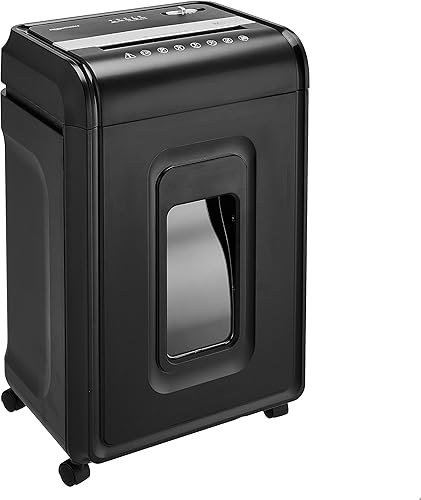 Best for household clear-outs
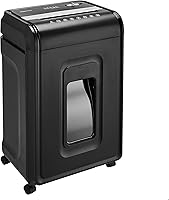
Amazon Basics 24-Sheet Cross-Cut Shredder
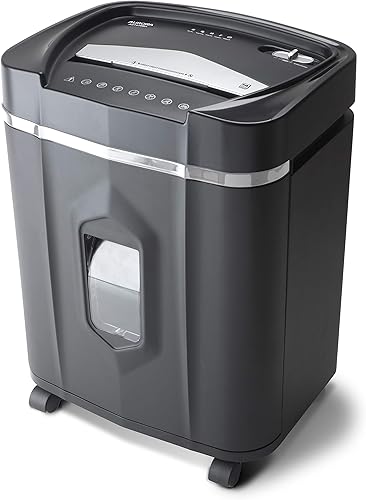 Best for steady home-office use
Aurora AU1210MA 12-Sheet Micro-Cut Shredder
P-4 vs P-5 shredder: what is the practical difference?
P-5 cuts paper more finely than P-4, leaving less of a document on each fragment. The security level describes the paper output, not the number of sheets you can feed or how long the motor runs.
The Amazon Basics P-4 cross-cut model makes 4 x 38 mm pieces. The Aurora AU1210MA is also P-4, but its micro-cut pieces measure 5/32 x 15/32 in.
The Aurora P-5 auto-feed model makes 2 x 12 mm pieces. Compared with the P-4 Aurora, those fragments are narrower while remaining about the same length.
That difference matters when pages contain several sensitive details close together, such as names beside account information. A finer cut breaks that information across more fragments, though no cut size replaces proper document handling.
Our guide to paper shredder security levels from P-1 to P-7 explains where these options sit within the wider range.
Does micro-cut mean a shredder is P-5 rather than P-4?
Micro-cut doesn't automatically mean P-5. Both Aurora models use that term, yet they have different security levels.
A P-4 micro-cut model can be a useful choice if you want shorter pieces than a particular cross-cut model produces. It still remains P-4, so it won't satisfy a requirement that specifically calls for P-5.
Read the security level alongside the cut-style name. Our comparison of micro-cut vs cross-cut shredders gives more detail on that distinction.
Who should choose the Amazon Basics P-4 shredder?
Choose the Amazon Basics model for household clear-outs and thick manual batches when P-4 meets your needs. It fits someone who wants to sort a pile, stand beside the machine and feed it in manageable groups.
Its manual capacity is up to 24 sheets of 20-pound bond paper. That's useful for ordinary loose pages, but thicker paper and folded sheets add load, so the maximum shouldn't become your target for every batch.
This model also destroys CDs, DVDs and credit cards one at a time through a dedicated slot. It accepts staples and small paper clips, which can reduce preparation for ordinary stapled paperwork.
Its operating cycle is 40 minutes on, followed by 50 minutes off. Plan a large clear-out around that rest period, especially if you're working through boxes rather than a weekly pile.
Skip it if you need P-5 or want stack feeding that reduces repeated loading. Also choose another option if the longer cross-cut pieces would leave you wishing you had bought a finer-cut machine.
For mixed household paperwork, sort before you switch on the shredder. Our guide to which documents to shred at home helps separate sensitive waste from papers you should keep.
Who should choose the Aurora AU1210MA P-4 micro-cut?
Choose the AU1210MA for steady manual shredding with shorter paper pieces when you don't need P-5. It suits a home office that clears paperwork regularly rather than saving everything for a large tray-fed session.
The machine accepts up to 12 sheets at a time and has a 60-minute continuous run time. That combination favors a longer session of modest batches over pushing a thick bundle through each pass.
It also destroys CDs, DVDs, credit cards and small paper clips. Follow the manual's directions for each material instead of treating every item like an ordinary sheet of paper.
The main tradeoff is repeated feeding. Someone clearing a large backlog may prefer an auto-feed tray, while someone who shreds as paperwork arrives may have little use for one.
Skip this model if your rules require P-5 or your priority is the largest manual batch. It makes more sense for buyers who value the shorter cut and longer session allowance than those who simply want fewer trips to the feed slot.
When should you choose the Aurora P-5 auto-feed shredder?
Choose the Aurora P-5 for sensitive paper backlogs that can be prepared for stack feeding. Its finer cut addresses the security choice, while its auto-feed tray addresses the work of loading paper.
You can load up to 200 sheets for automatic feeding, while the manual slot accepts up to 10 sheets. The larger figure is tray capacity, not permission to push a thick stack into the manual opening.
Its 60-minute continuous run time suits longer sessions, but it doesn't establish how quickly a particular stack will finish. Paper condition, preparation and interruptions also affect the job.
Auto-feed is most useful when you have loose, compatible pages ready together. If you mostly shred a few sheets as mail arrives, you'll use the manual slot more often and gain less from the tray.
Skip this model if P-4 meets your needs and you mainly want thick manual feeding. Before buying it for discs or cards, confirm the supported materials in its manual; the media support of another Aurora model doesn't transfer to this one.
How do you choose a security level for your documents?
Choose the required level first, then decide whether you want a finer cut for personal records. Capacity and convenience only matter after the machine meets your document needs.
For household use, think about what the pages reveal together. A name on one page may be ordinary information, while that name beside financial details deserves more care.
P-4 is a practical starting point for routine household records. P-5 is the stronger choice here if your disposal pile regularly contains detailed personal or business information and you want smaller fragments.
For workplace papers, follow the organization's actual disposal rules. A requirement may cover collection, storage and who handles the waste as well as the shredder's paper security level.
Don't assume that buying P-5 solves every disposal requirement. Equally, don't buy a larger machine just because its security level sounds more serious if it won't fit your routine.
For a broader feature checklist, how to choose a paper shredder covers capacity, placement and everyday use.
Which feeding method fits your weekly paper pile?
Choose manual feeding for small, frequent jobs and auto-feed for prepared stacks. Match the machine to a normal week, then consider how often you face a larger clear-out.
If you shred mail while sorting it, a manual slot keeps the task simple. There's little benefit in saving a handful of pages just to fill an auto-feed tray.
If you keep a secure shred pile and clear it on a schedule, stack feeding becomes more useful. You still need to remove unsuitable items and prepare the pages before loading them.
For an old filing cabinet, divide the work into sorting and shredding sessions. Feeding faster won't help if you haven't decided which records to keep.
Compare similar capacity figures when shopping. A manual sheet limit tells you what can enter together, while an auto-feed limit tells you how much the tray can hold for the machine to process over time.
Also separate run time from completion time. A longer continuous allowance means more time before a required pause, not a promise that one machine cuts paper faster than another.
How much space and bin capacity do you need?
Choose a position with clear access to the feed opening and pull-out bin. A shredder that fits beneath a desk may still be awkward if you have to move it whenever the bin fills.
The Amazon Basics model has a 7-gallon bin, the AU1210MA has a 5-gallon bin, and the P-5 Aurora has an 8.5-gallon bin. Bin volume helps compare waste capacity, but it doesn't give a reliable page count between emptying trips.
The P-5 model is 18.35 inches deep, compared with about 11 inches for either P-4 model. That extra depth deserves attention in a narrow office or a space beside a desk.
Mark the intended footprint on the floor before ordering. Leave room for the bin to pull forward and for your hand to reach the controls without working around furniture.
Keep the machine on a stable, level surface with its vents clear. Route the power cord away from walkways, and keep the feed opening beyond the reach of children and pets.
How should you set up and prepare your first batch?
Start with a small batch of ordinary paper, following the machine's manual. Confirm that the bin and door are seated correctly before switching to automatic operation.
Create separate piles for records to keep, paper to shred and materials that need another disposal method. This reduces the risk of destroying an original you still need or feeding an unsuitable item.
Check pockets, envelopes and folded bundles for hidden contents. Remove binder clips and anything else the specific machine doesn't support, even if a different shredder can accept it.
For auto-feed, follow the instructions on page condition, alignment and fasteners. A tray full of mixed, curled or folded paperwork needs preparation before it becomes a useful stack.
Feed manual batches straight and comfortably below the maximum when paper is thick or uneven. Avoid adding more pages while the previous bundle is still entering the cutters.
Don't leave sensitive documents waiting in an exposed tray between sessions. The security level only applies after the paper passes through the cutting mechanism.
What care helps prevent jams and interruptions?
Empty the bin before waste crowds the cutting area, and lubricate the cutters as the manual directs. Smaller paper pieces don't remove the need for regular care.
Switch off and unplug the shredder before removing waste or checking an obstruction, following its safety instructions. Don't reach into the cutting area or push shreds down with your hands.
Use only a lubricant approved for the machine. Our guide to how to oil a paper shredder explains the process and how to plan it around your use.
Keep aerosol products away from the shredder. The Amazon Basics model specifically warns against using or storing aerosols nearby and against shredding metallic credit cards.
All 3 models include anti-jam auto-reverse, but that feature doesn't make overloading harmless. If paper stops moving, stop adding sheets and follow the clearing steps rather than forcing the bundle farther in.
Our guide to how to clear a paper shredder jam walks through that task. If an overheat indicator appears, allow the required cool-down before restarting.
Which common buying mistakes should you avoid?
Avoid choosing by one large number or one cut-style label. Security, capacity and feeding method answer different questions.
- Treating micro-cut as P-5: check the stated security level, since the AU1210MA shows that micro-cut can also be P-4.
- Comparing tray capacity with manual capacity: decide how you'll feed paper before choosing the larger number.
- Ignoring recovery time: a long rest can interrupt a planned clear-out even when the manual batch size looks useful.
- Assuming media support: check each model's accepted materials rather than relying on a shared brand name.
- Buying for an unusual backlog: consider whether a large machine will still make sense after that one job is finished.
Don't choose solely around the largest stack you can imagine. A machine that suits your regular disposal routine is easier to use consistently.
Final choice: which P-4 vs P-5 shredder should you buy?
Choose Amazon Basics for thick manual batches, the AU1210MA for steady P-4 micro-cut use, or the Aurora P-5 for finer cuts and prepared paper backlogs. Those are 3 different workflows, so start with the one that matches your desk.
If both security levels meet your needs, use your ordinary paper pile to settle the P-4 vs P-5 shredder decision. Favor easy daily use for scattered pages and stack feeding when you regularly collect a backlog.
Before ordering, measure the space, check the accepted materials and plan where sensitive papers will wait. The full paper shredder buying guide helps you make that final fit check.
Frequently asked questions
Is P-5 always better than P-4?
P-5 gives you finer paper pieces, but P-4 can be the better fit for routine household records. Choose the required security level first, then compare feeding method, space and workload.
A P-5 label doesn't mean a shredder accepts thicker manual batches or finishes your pile faster.
What is the difference between P-4 and P-5 shredders?
P-5 produces finer paper pieces than P-4, making each fragment contain less of the original page. The security level describes the paper cut, while sheet capacity, continuous run time and auto-feed are separate features.
Compare those features after deciding how finely you need your documents shredded.
Can a P-4 shredder handle sensitive documents?
P-4 can suit personal records when no stricter requirement applies and you're comfortable with its cut size. For work documents, follow your organization's disposal policy rather than judging by the word confidential alone.
Choose P-5 if you want finer pieces, but don't assume it satisfies every document-handling rule.
Is micro-cut the same as P-5?
No, micro-cut is a cut-style label, while P-5 is a security level. The Aurora AU1210MA is a P-4 micro-cut shredder, and the Aurora auto-feed model is P-5.
Check the stated P-level and particle dimensions together instead of using the word micro-cut as your only buying guide.
Which shredder is better for a large paper stack?
Choose the Aurora P-5 auto-feed model for a sorted stack you want to load into a tray. Choose the Amazon Basics P-4 model if you prefer feeding thicker batches yourself.
Stack capacity and manual capacity describe different tasks, so compare the feeding method you'll actually use.