6 Best Paper Shredders for a Home Office (October 2026)
The best paper shredders for a home office include the Bonsaii 12-Sheet Micro-Cut Shredder for everyday office paperwork, the Bonsaii 120-Sheet Auto-Feed Micro-Cut Shredder for accumulated paper stacks, and the Fellowes Powershred 99Ci 18-Sheet Jam-Proof Shredder for shared workspaces.
On this page (7 sections)
- How we chose the best paper shredders for home office use
- Which shredder fits your home office routine?
- How do you match a shredder to the papers you handle?
- Where should you put a home office shredder?
- What should you do before feeding a document?
- How do you keep shredding clean and avoid repeated jams?
- Which home office shredder should you buy?
The Bonsaii 12-Sheet Micro-Cut Shredder is the best paper shredder for home office use for most people handling regular confidential paperwork. Choose the Bonsaii auto-feed model for sorted stacks or the Fellowes 99Ci for a busy shared workspace.
Your paper routine matters more than the largest capacity number. A handful after opening the mail, a weekly folder clearout, and several people's work documents call for different feeding styles and bin sizes.
Our complete paper shredder buying guide explains the wider category. If your paperwork is mostly household mail rather than work records, compare our best paper shredders for home use.
Our picks at a glance
-
1
 Best for everyday office paperwork
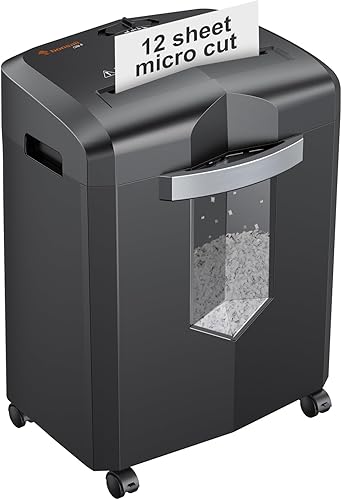
Bonsaii 12-Sheet Micro-Cut Shredder
8.9/10 our score
See it on Amazon -
2
 Best for accumulated paper stacks
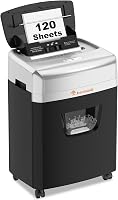
Bonsaii 120-Sheet Auto-Feed Micro-Cut Shredder
8.7/10 our score
See it on Amazon -
3
 Best for shared workspaces
Fellowes Powershred 99Ci 18-Sheet Jam-Proof Shredder
8.5/10 our score
See it on Amazon
- 4
 Check it
Bonsaii 12-Sheet Cross-Cut Shredder
Best for weekly paperwork clearouts - 5
 Check it
Fellowes 14C10 14-Sheet Cross-Cut Shredder
Best for short deskside jobs - 6
 Check it
Fellowes Powershred 12-Sheet Cross-Cut Shredder
Best for steady personal shredding
How we chose the best paper shredders for home office use
We prioritized useful security, manageable feeding, and enough working time for realistic home office jobs. CrispTally compared cut sizes, sheet limits, cooling needs, waste capacity, and controls to match each model with a clear buyer.
All 6 picks meet P-4, so this is mainly a choice about workflow and paper particle size. The top pick balances smaller pieces with a manageable cabinet; the alternatives serve stacks, shared use, or particular deskside routines.
Decide which task you repeat most before comparing the table. Extra capacity helps only when it reduces the feeding, waiting, or emptying you actually do.
| Product | Best for | Cut type | Sheet capacity | Bin capacity | Our score |
|---|---|---|---|---|---|
| Bonsaii 12-Sheet Micro-Cut Shredder | everyday office paperwork | Micro-cut, P-4 | 12 sheets | 4.2 gallons | 8.9 |
| Bonsaii 120-Sheet Auto-Feed Micro-Cut Shredder | accumulated paper stacks | Micro-cut, P-4 | 120 sheets auto-feed; 12 manual | 5.9 gallons | 8.7 |
| Fellowes Powershred 99Ci 18-Sheet Jam-Proof Shredder | shared workspaces | Cross-cut, P-4 | 18 sheets | 9 gallons | 8.5 |
| Bonsaii 12-Sheet Cross-Cut Shredder | weekly paperwork clearouts | Cross-cut, P-4 | 12 sheets | 5.5 gallons | 8.4 |
| Fellowes 14C10 14-Sheet Cross-Cut Shredder | short deskside jobs | Cross-cut, P-4 | 14 sheets | 5 gallons | 8.1 |
| Fellowes Powershred 12-Sheet Cross-Cut Shredder | steady personal shredding | Cross-cut, P-4 | 12 sheets | 5 gallons | 7.8 |
Which shredder fits your home office routine?
The Bonsaii micro-cut model suits everyday individual use, while the auto-feed Bonsaii and Fellowes 99Ci address heavier workloads in different ways. The remaining choices make sense when bin space, brief sessions, or a disable control leads your decision.
Bonsaii micro-cut: the best home office shredder for daily papers
Bonsaii 12-Sheet Micro-Cut Shredder: Best for everyday office paperwork
- P-4 micro-cut
- Up to 12 sheets per pass
- Up to 20 minutes of continuous use
- 4.2-gallon pullout bin
A strong everyday choice for one person's confidential paperwork. Its smaller paper pieces and rolling cabinet suit regular shredding beside a desk.
Pros
- Smaller particles than the cross-cut picks here
- Up to 20-minute run time
- Casters and visible bin window
Cons
- Smallest bin in this roundup
- Requires feeding each batch by hand
The Bonsaii 12-Sheet Micro-Cut Shredder suits someone who clears confidential papers as part of a normal workday. Its 5 x 12 mm particles are smaller than those from the cross-cut picks here, making it the first choice when output size matters.
It handles up to 12 sheets per pass, and Bonsaii specifies up to 20 minutes of continuous use. That combination suits feeding a folder's contents in manageable handfuls without choosing a machine built around large stacks.
The 4.2-gallon pullout bin has a visible window, and 4 casters help you move the cabinet between working and storage spots. It also accepts credit cards, staples, paper clips, and CDs within the manual's material limits.
Buy it for regular individual use where you can empty the bin often enough to keep the workflow simple. Keep the bin window visible rather than hiding that side against furniture.
Skip it for shared, high-volume shredding or if repeatedly feeding paper is the part you want to avoid. Its smaller waste space makes it less suited to several people's accumulated paperwork.
Bonsaii auto-feed: fewer repeated trips to the opening
Bonsaii 120-Sheet Auto-Feed Micro-Cut Shredder: Best for accumulated paper stacks
- Auto-feeds up to 120 sheets of paper
- P-4 micro-cut
- Up to 30 minutes in auto mode
- 5.9-gallon pullout bin
Choose this for sorted paper stacks that would otherwise need repeated manual feeding. A separate manual opening handles smaller jobs and supported nonpaper items.
Pros
- Loads a full paper stack
- P-4 micro-cut
- Pullout bin and casters
Cons
- Auto mode accepts paper only
- Both modes require 60-minute cooling periods
The Bonsaii 120-Sheet Auto-Feed Micro-Cut Shredder suits someone who saves suitable papers for a scheduled clearout. Its tray accepts up to 120 sheets, reducing the need to stand at the opening feeding each handful.
Bonsaii specifies 30 minutes on and 60 minutes off in auto mode. Manual mode accepts up to 12 sheets and allows 10 minutes on followed by 60 minutes off, so the longer automatic run time doesn't apply to both modes.
The output measures 4 x 12 mm, and the 5.9-gallon pullout bin sits in a cabinet with casters. Auto mode accepts paper only; use the manual opening for supported mail, cards, and staples.
Buy it for sorted document stacks, especially if you already separate disposal papers while filing. Prepare the stack according to the tray instructions instead of treating it as a container for mixed desk waste.
Skip it for mostly envelopes, cards, or brief daily jobs that will use the manual opening anyway. Also skip it if repeated work sessions cannot accommodate the required cooling breaks.
Fellowes 99Ci: the shared-workspace choice
Fellowes Powershred 99Ci 18-Sheet Jam-Proof Shredder: Best for shared workspaces
- Up to 18 sheets per pass
- P-4 cross-cut
- Up to 30 minutes of continuous use
- 9-gallon pullout bin
The largest bin and highest manual-feed capacity here suit a shredder shared by several people. SafeSense stops shredding when hands touch the paper opening.
Pros
- Highest manual-feed capacity in this roundup
- Large bin with full indicator
- SafeSense opening sensor
Cons
- Requires feeding each batch by hand
- Tall cabinet needs a suitable floor location
The Fellowes Powershred 99Ci is the best fit here when several people share a shredder and feed documents manually. Its 18-sheet capacity and 9-gallon pullout bin are the largest manual-feed and waste capacities in this group.
Fellowes specifies up to 30 minutes of continuous operation. An LED bin-full indicator helps users spot when emptying is due, which is useful when the person filling the bin isn't always the person maintaining it.
The P-4 cross-cut machine accepts staples, credit cards, paper clips, CDs, DVDs, and junk mail. Fellowes' SafeSense stops shredding when hands touch the paper opening; that is a different function from the disable locks on the smaller Fellowes picks.
Allow space for a cabinet measuring 17.31 inches deep, 11.44 inches wide, and 25.19 inches high. It weighs 36.4 pounds, so choose a stable floor location rather than planning to lift it between uses.
Buy it for a busy shared office; skip it for occasional individual paperwork. It also won't solve a desire for automatic stack feeding, since each batch still needs your attention.
Bonsaii cross-cut: room for a weekly clearout
Bonsaii 12-Sheet Cross-Cut Shredder: Best for weekly paperwork clearouts
- P-4 cross-cut
- Up to 12 sheets per pass
- Up to 15 minutes of continuous use
- 5.5-gallon pullout bin
A practical manual-feed choice for a weekly paperwork routine. Its larger bin offers more waste space than the top Bonsaii pick, with a window for checking the fill level.
Pros
- Bin window
- Manual reverse
- Stops when the wastebasket is removed
Cons
- Requires feeding each batch by hand
- Larger particles than the micro-cut picks here
The Bonsaii 12-Sheet Cross-Cut Shredder suits a weekly paperwork session where waste capacity matters more than getting the smallest pieces here. Its 5.5-gallon pullout bin gives you more room than the top Bonsaii pick.
It accepts up to 12 sheets of Letter-size, 20 lb paper per pass and produces 5 x 25 mm particles. Bonsaii specifies up to 15 minutes of continuous operation, which makes it a reasonable match for a planned folder clearout.
Auto start and stop handle normal feeding, while manual reverse provides a control for backing paper out as directed. The bin window shows the fill level, and the machine stops when the wastebasket is removed.
It also accepts CDs, credit cards, and staples. Bonsaii warns against metallic credit cards and against using or storing aerosol products around the machine.
Buy it for moderate manual batches and a roomier bin. Skip it if smaller particle size is your leading concern or if you want to load a stack without feeding each batch yourself.
Fellowes 14C10: brief sessions with larger handfuls
Fellowes 14C10 14-Sheet Cross-Cut Shredder: Best for short deskside jobs
- Up to 14 sheets per pass
- P-4 cross-cut
- Patented Safety Lock
- 5-gallon pullout bin
A good fit for brief shredding sessions with slightly larger handfuls of paper. Its Safety Lock lets you disable the machine between jobs.
Pros
- 14-sheet capacity
- Safety Lock
- Pullout bin
Cons
- Up to 10-minute run time
- Less bin capacity than the 99Ci
The Fellowes 14C10 suits a person who shreds in short bursts and wants a lock to disable the machine afterward. Its Safety Lock is useful between jobs, especially when a home office serves other household purposes.
It accepts up to 14 sheets per pass and runs for up to 10 minutes before cooling is needed. That favors clearing a small incoming-paper pile over working steadily through accumulated files.
The machine produces P-4 cross-cut pieces and has a 5-gallon pullout bin. It accepts paper clips, staples, credit cards, and unopened junk mail in addition to paper, subject to the operating instructions.
Buy it if your normal job is brief, and the slightly larger handful capacity saves repeated passes. Use the lock as part of your shutdown routine rather than expecting it to react automatically to contact at the opening.
Skip it if your sessions regularly outlast its run limit. The Fellowes 12-sheet model below gives up some per-pass capacity for a longer working period and includes the same type of disable control.
Fellowes 12-sheet: smaller batches across a longer session
Fellowes Powershred 12-Sheet Cross-Cut Shredder: Best for steady personal shredding
- Up to 12 sheets per pass
- P-4 cross-cut
- Up to 20 minutes of continuous use
- 5-gallon pullout bin
Choose this personal deskside model for smaller handfuls spread across a longer session. It combines a pullout bin with a Safety Lock for disabling the machine between uses.
Pros
- Longer run time than the 14C10
- Safety Lock
- Handles unopened junk mail
Cons
- Lower manual-feed capacity than the 14C10 and 99Ci
- Requires feeding each batch by hand
The Fellowes Powershred 12-Sheet Cross-Cut Shredder suits a personal desk where you sort and shred a little at a time. Choose it over the 14C10 when a longer working session matters more than feeding a thicker handful.
It accepts up to 12 sheets per pass, and Fellowes specifies up to 20 minutes of continuous operation. A 5-gallon pullout bin holds the output, while the Safety Lock lets you disable the shredder between uses.
Its P-4 cross-cut output measures 5/32 x 1-9/16 inches. Supported materials include staples, paper clips, credit cards, and unopened junk mail, so ordinary paper sorting doesn't always require removing every small fastener.
Buy it for steady individual shredding while you work through a modest filing task. Smaller batches are a sensible match if you already check each document before feeding it.
Skip it for large shared workloads or automatic stack handling. Also choose the top Bonsaii instead if smaller output pieces matter more to you than this model's lock and waste capacity.
How do you match a shredder to the papers you handle?
Start with your normal disposal pile, then choose security, feeding style, and working time around it. A machine that handles your routine without awkward sorting or frequent stops is more useful than one chosen for an occasional extreme job.
Choose the required security level first
Check any employer or client disposal requirements before choosing a machine. A personal home office and an office handling restricted work records may need different disposal procedures, even when the papers look similar.
Every pick here meets P-4, but their cut dimensions differ. The micro-cut options make smaller pieces than the cross-cut options in this group; the shared level doesn't mean the output looks identical.
Our micro-cut vs cross-cut comparison explains the formats in more detail. If your rules require a different security level, narrow the search by that requirement before comparing convenience features.
Match manual or auto-feed to the pile
Choose manual feed for mixed, frequent jobs and auto-feed for suitable, sorted stacks. Loading a tray saves repeated feeding, but you still need to prepare the paper and follow the machine's operating instructions.
Think about what you discard during an ordinary week. A few letters at a time favor a nearby manual opening; a folder of plain sheets is a stronger reason to choose automatic feeding.
Don't confuse tray capacity with the thickness allowed through the manual slot. Our best auto-feed paper shredders guide helps if stack handling is the feature driving your purchase.
Allow headroom below the maximum sheet count
Treat sheet capacity as an upper limit for suitable paper, rather than the best size for every batch. Heavy paper, folds, creases, and attached materials change how much thickness reaches the cutters.
Count a folded sheet by its layers at the opening, and split a resistant batch before feeding it. Straight, manageable handfuls are easier to control than a thick bundle pushed into the slot.
A higher manual capacity helps if you repeatedly feed thicker groups, but it doesn't remove the need to sort them. For mostly single-page jobs, more capacity may change little about your day.
Plan for cooling as well as running
Choose working time around your longest normal shredding session. A weekly clearout demands a different duty cycle from shredding a few papers after each call.
A continuous-run allowance doesn't mean the machine can restart immediately after reaching that limit. Follow the specified cooling period, and let a thermal stop resolve as directed instead of repeatedly trying the power switch.
If your workload routinely exceeds home office duty cycles, divide it into planned sessions. Buying for the backlog alone can leave you storing a larger cabinet than your ongoing routine needs.
Where should you put a home office shredder?
Put the shredder on a stable, level surface with clear access to its feed opening and bin. Measure the whole working area, including the room needed to pull the wastebasket out.
A cabinet that fits beneath a desk can still be awkward if you must move your chair every time you empty it. Check your knee space, nearby drawers, and the paper-loading clearance before choosing the location.
Leave ventilation openings clear and route the power cord away from chair wheels and walkways. Use the power connection required by the manual rather than stretching a cord across the room.
Casters help with repositioning, but a convenient parked location is better than moving the machine for every use. Keep it where you can feed paper squarely without leaning over the opening.
Set up 3 simple paper destinations nearby: keep, ordinary recycling, and shred. The shred pile should be separate from documents awaiting a retention decision, so clearing the desk doesn't become accidental disposal.
If you work on calls, schedule shredding between them. A quiet-operation feature doesn't establish that a machine will be unobtrusive beside your microphone.
Keep children and pets away during operation, and secure the machine as its manual directs afterward. A lock and an opening sensor serve different purposes, so learn which control your model has before relying on it.
What should you do before feeding a document?
Check the document, remove unsupported items, and straighten the batch before it reaches the opening. Most avoidable interruptions begin with unsuitable material, excess thickness, or a decision made too quickly.
Open mail when you don't know what's inside, even if your machine supports unopened junk mail. Remove objects such as binder clips, batteries, thick inserts, or other contents the manual doesn't permit.
Supported staples or paper clips don't make every bound packet suitable. Check the size and placement limits in the instructions, and remove fasteners when you're unsure.
Feed papers straight and let the mechanism draw them in. Don't push a struggling stack, force crumpled sheets into the slot, or keep adding material while the machine is trying to clear a problem.
Keep nonpaper disposal separate from ordinary paper waste where your local rules require it. Shredding a card or disc doesn't make its fragments suitable for paper recycling.
Before clearing old files, decide what needs shredding and what still needs keeping. Our guide to documents you should shred at home helps you build a disposal pile without sending every harmless page through the cutters.
How do you keep shredding clean and avoid repeated jams?
Empty early, feed conservatively, and follow the lubrication instructions for your model. These habits address waste buildup and feeding strain before they interrupt a job.
Empty the bin before waste crowds the cutters
Check the waste level at the start of a session, especially if someone else used the machine last. Shreds can pile unevenly, so the area below the cutters may fill before the whole bin looks packed.
Stop the machine and follow its shutdown instructions before handling the wastebasket. Don't push loose shreds upward or reach beneath the cutting head to make more space.
Our guide to paper shredder bags explains when a liner helps. Use only a compatible arrangement that allows the bin to seat properly and leaves sensors and moving parts clear.
Lubricate according to the manual
Use the lubricant and method approved for the machine. Don't substitute household spray lubricants, and don't assume every shredder needs the same maintenance interval.
Our guide to oiling a paper shredder explains common methods. Your model's instructions should determine the product, amount, and procedure you follow.
Respond to a jam without forcing more paper
Stop feeding as soon as paper stalls or the machine struggles. Use reverse or another clearing function only as the manual directs; repeatedly forcing the same thick batch back through won't correct its size.
If the approved controls don't clear it, turn off and unplug the machine before further inspection. Keep fingers and tools away from the cutters, and follow our paper shredder jam guide alongside the model's instructions.
Also check whether the machine has reached its heat limit or whether the bin needs attention. A stopped shredder doesn't always mean paper is trapped in the cutting mechanism.
Which home office shredder should you buy?
Choose the best paper shredder for your home office by the task you repeat most. Use these decision rules after checking your security requirements and available space.
- Regular individual paperwork: Pick the Bonsaii micro-cut model for smaller paper pieces and a straightforward manual workflow.
- Accumulated plain-paper stacks: Pick the Bonsaii auto-feed model if preparing a tray suits you better than feeding each handful.
- Several users or heavier manual work: Pick the Fellowes 99Ci for its larger bin and higher manual capacity.
- Weekly manual clearouts: Pick the Bonsaii cross-cut model if extra waste space matters more than smaller particles.
- Brief deskside sessions: Pick the Fellowes 14C10 if you want a disable lock and slightly larger handfuls.
- Steady personal sessions: Pick the Fellowes 12-sheet model if longer working time matters more than per-pass capacity.
Resolve a close choice by looking at the part of shredding you most want to reduce: feeding, emptying, or waiting for cooling. For a wider household comparison, see our best paper shredders for home use.
Our top 3 picks at a glance
-
1
Best for everyday office paperwork
Bonsaii 12-Sheet Micro-Cut Shredder
8.9/10 our score
See it on Amazon -
2
Best for accumulated paper stacks
Bonsaii 120-Sheet Auto-Feed Micro-Cut Shredder
8.7/10 our score
See it on Amazon -
3
Best for shared workspaces
Fellowes Powershred 99Ci 18-Sheet Jam-Proof Shredder
8.5/10 our score
See it on Amazon
Frequently asked questions
What is the best paper shredder for a home office?
The Bonsaii 12-Sheet Micro-Cut Shredder is the best fit for most individual home offices with regular confidential paperwork. Choose the Bonsaii auto-feed model if sorted paper stacks are your main job, or the Fellowes 99Ci if several people need larger manual batches and more bin space.
Is micro-cut or cross-cut better for a home office?
Micro-cut is the better choice when smaller paper pieces are your priority, but both formats here meet P-4. Check the security level before judging by the cut name, then compare feeding and maintenance needs.
Our micro-cut vs cross-cut guide explains the differences that matter when choosing.
How many sheets should a home office shredder handle?
A 12- to 14-sheet manual capacity suits routine batches, while a larger manual opening helps with thicker handfuls. Auto-feed suits sorted stacks rather than mixed materials.
Treat capacity as a maximum for suitable paper, not a target for every pass; our sheet capacity guide explains how to size batches.
What security level should I choose for home office papers?
P-4 is a practical starting point for ordinary confidential home office papers, and every model here meets that level. Employer or client disposal rules may require something else.
Check those requirements before buying, then use our paper shredder security guide to compare the available levels.
How do I keep a home office shredder from jamming?
Feed smaller, straight batches, remove unsupported materials, and empty the bin before shreds crowd the cutter area. Follow the manual's cooling and lubrication instructions rather than pushing through a slowdown.
If paper gets stuck, use the approved controls and our paper shredder jam guide before attempting further clearing.