Micro Cut vs Cross Cut Shredders: Which Is Better? (October 2026)
For a micro cut vs cross cut shredder decision, choose the Bonsaii micro cut for smaller paper pieces or Amazon Basics cross cut for bigger batches. All 3 models here meet P-4, so choose the security level first, then match capacity and run time to your paperwork.
On this page (8 sections)
- Micro cut vs cross cut shredder: what actually changes?
- Which workload limits matter more than the cut label?
- How much bin space and floor space do you need?
- Which of these 3 shredders should you choose?
- How should you set up and use a shredder?
- What care helps prevent jams and avoidable stops?
- What mistakes should you avoid when buying?
- Micro cut vs cross cut: which should you buy?
For a micro cut vs cross cut shredder decision, choose micro cut for smaller paper pieces or a cross cut model whose capacity better suits your workload. All 3 machines here meet P-4, so none has a higher security classification than the others.
The practical choice is between finer scraps, bigger batches and less frequent basket emptying. Start with the security level your documents need, then choose a machine you can use regularly without building another paperwork pile.
Our guide to paper shredder security levels explains how the classifications differ.
 Best for privacy-minded households
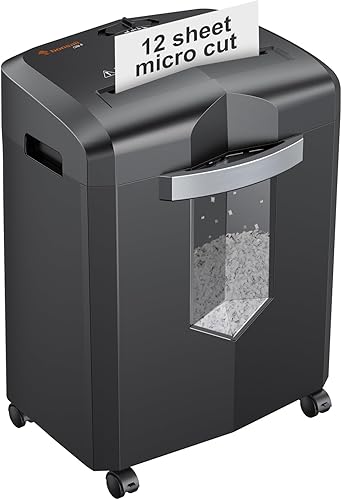
Bonsaii 12-Sheet Micro-Cut Shredder
Micro cut vs cross cut shredder: what actually changes?
Particle size is the main difference between these cut types, while capacity and run time depend on the individual machine. Both cut paper into pieces rather than long, continuous strips.
The Bonsaii micro cut produces 5 x 12 mm pieces. The Amazon Basics cross cut produces 4 x 38 mm pieces, while the Bonsaii cross cut produces 5 x 25 mm pieces.
Compare both dimensions. Amazon Basics makes narrower pieces than the micro cut model, but those pieces are much longer.
Smaller scraps leave shorter fragments of printed words and numbers. That makes particle size worth considering for personal paperwork, even when the machines share the same security level.
Don't extend this comparison into a rule that every micro cut machine has lower capacity or every cross cut machine works longer. Those are model differences, so check each machine separately.
Does micro cut vs cross cut decide the security level?
No, the cut name doesn't replace the security classification. These examples show why: different particle dimensions can fall within the same P-4 level.
If your employer or document policy requires a higher level, none of these machines becomes suitable simply because its name includes micro cut. Our P-4 vs P-5 shredder guide helps explain that next step.
For household use, decide how small you want the scraps after confirming the level you need. If the terminology is still unclear, read what a micro cut shredder is before comparing models.
Which workload limits matter more than the cut label?
Sheet capacity, continuous run time and cooling breaks determine how you can tackle a stack. Check all 3 rather than choosing the largest sheet number alone.
The Amazon Basics model accepts up to 24 sheets of 20-pound bond paper per pass. Both Bonsaii models accept up to 12 sheets, with the Bonsaii cross cut specifying Letter-size, 20-pound paper for that limit.
Treat those figures as ceilings. Folded pages, heavier paper and attached items can make a bundle more demanding than the same number of flat office sheets.
Start with smaller batches and keep them straight. Forcing a thick stack into the opening can turn a short task into a jam-clearing session.
The micro cut Bonsaii allows up to 20 minutes of continuous operation, while its cross cut counterpart allows up to 15 minutes. Amazon Basics allows 40 minutes on followed by 50 minutes off.
Those figures describe work periods, not pages per minute. A higher batch limit may reduce the number of feeds, but it doesn't establish an exact finishing time.
For occasional mail, short sessions may fit your routine. For several folders of old paperwork, cooling breaks become a larger part of the job, especially if you need to finish in one sitting.
How much bin space and floor space do you need?
Choose a bin you can empty easily and leave room to pull it out. Basket size matters most when shredding sessions produce more scraps than you want to handle at once.
Amazon Basics has a 7-gallon basket, the Bonsaii cross cut has a 5.5-gallon basket, and the micro cut has a 4.2-gallon basket. Those volumes compare waste space, but they don't provide a reliable page-count comparison.
All 3 have pullout baskets and casters. The Bonsaii models have viewing windows, while Amazon Basics includes a bin-full indicator.
Measure the spot where the machine will stand, including the space needed to remove the basket. A shredder can fit beside a desk yet still be awkward to empty if a chair or cabinet blocks the front.
Also consider the route to your waste container. A larger basket helps during a clear-out, but carrying a full basket across a crowded room can be less convenient than emptying a smaller one nearby.
Empty the bin before scraps crowd the cutter area. Don't press loose paper upward toward the blades to make extra room.
Which of these 3 shredders should you choose?
Choose the Bonsaii micro cut for finer scraps, Amazon Basics for backlogs, or the Bonsaii cross cut for regular short sessions. Each serves a different routine despite sharing the same security level.
Bonsaii micro cut: for households that prioritize smaller scraps
The Bonsaii 12-Sheet Micro-Cut Shredder suits someone who sorts personal mail, statements and other household paperwork regularly. Choose it when you prefer smaller fragments and can empty the basket as part of the task.
Its automatic start-stop operation suits feeding small groups as you sort. Overload protection adds a safeguard, but you should still reduce the bundle size if paper struggles to enter.
This is the strongest fit here for a household that keeps up with paperwork rather than saving everything for an annual clear-out. The smaller basket is easier to plan around when each session starts with a modest pile.
Skip it if the main problem is a large backlog and you want the greatest batch and bin capacity among these choices. Also skip it if your document rules call for a security level above P-4.
Amazon Basics cross cut: for large stacks and shared paperwork
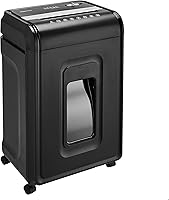
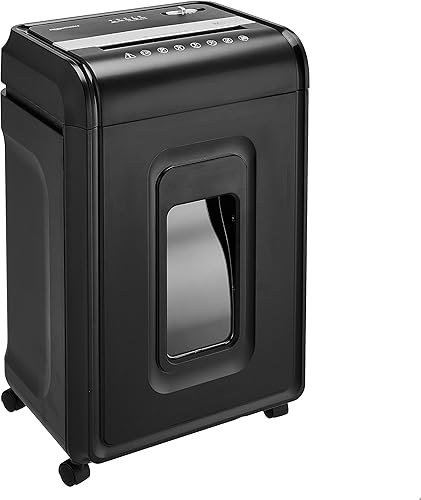
The Amazon Basics 24-Sheet Cross-Cut Shredder suits a busy home office or a household clearing several folders at once. Its larger batch allowance and basket make it the most practical backlog choice here.
Automatic reverse helps respond to jams, while indicators identify conditions such as overload, overheating, an open door or a full bin. Those signals help you address the cause of a stoppage rather than repeatedly trying to feed paper.
The machine weighs 31.6 pounds, so plan a regular place for it. Casters help with repositioning, but a setup that requires lifting it in and out of storage is less convenient.
Skip it if finer scraps are your first priority or you only destroy a few pages at a time. Its required cooling break also matters if you expect uninterrupted work through a very large clear-out.
Bonsaii cross cut: for a weekly household routine
The Bonsaii 12-Sheet Cross-Cut Shredder fits someone who shreds a weekly pile and wants more basket room than the micro cut option provides. It makes sense when you don't need the Amazon Basics model's larger batch allowance.
Auto start-stop handles normal feeding, and manual reverse lets you back paper out when needed. The machine also stops when you pull out the wastebasket.
Choose it for a routine built around sorting first and shredding a manageable stack afterward. That pattern suits its shorter continuous run allowance better than an extended archive clear-out.
Skip it if you want the smallest particles in this comparison or routinely face long shredding sessions. It offers no sheet-capacity advantage over the micro cut model, so its larger basket needs to be useful to you.
How should you set up and use a shredder?
Place it where sorting, feeding and emptying are easy, then start with small batches. A convenient setup makes it easier to destroy sensitive papers promptly.
Use a stable, level location with the ventilation space required by the manual. Keep the power cord clear of chair wheels and walking routes.
Before switching it on, seat the basket fully and check the controls. Keep loose clothing, hair and fingers away from the feed opening, and place the machine beyond children's and pets' reach.
Sort documents into keep, shred and ordinary recycling piles first. Confirm that records are ready for disposal before feeding them, because reverse can't restore a page once part of it has been cut.
Feed straight, dry paper without pushing it into the cutters. Flatten folds and separate thick bundles so the machine can draw paper in evenly.
All 3 support CDs, ordinary credit cards and staples. The micro cut Bonsaii and Amazon Basics also specify paper clips, but that doesn't establish clip support for the Bonsaii cross cut.
Follow the material and slot instructions for your exact model. Amazon Basics takes cards one at a time through its dedicated slot and also supports DVDs.
Don't assume support for one item covers similar-looking materials such as padded envelopes, adhesive labels or laminated sheets. Remove unfamiliar items unless the manual allows them.
What care helps prevent jams and avoidable stops?
Use the right bundle size, empty the basket and follow the lubrication schedule. These habits address common sources of trouble without relying on a machine's jam-protection features.
Switch off and unplug the shredder before emptying or cleaning it as directed by the manual. Keep hands and tools away from the cutters, including when scraps appear to be within reach.
Use only a lubricant and method approved for the machine. Our guide to how to oil a paper shredder explains the steps and what to check before applying anything.
Keep aerosol products away from the shredder. Amazon Basics and the Bonsaii cross cut model specifically warn against spraying or storing them nearby, and neither permits metallic credit cards.
If paper stalls, stop adding more. Follow the manual's reverse procedure, and unplug the machine before any permitted clearing step that brings you near the feed area.
Repeatedly switching forward and reverse while forcing the stack can worsen a blockage. Use our guide to clearing a paper shredder jam when a simple reverse cycle doesn't release it.
An overheating stop calls for cooling time. Let the motor rest as directed instead of repeatedly restarting it or assuming the cutters are blocked.
What mistakes should you avoid when buying?
Don't buy from the cut name or maximum sheet count alone. Match the machine to your security requirement, normal pile size and available space.
A common mistake is choosing for the biggest stack you can imagine rather than the paperwork you usually handle. A large machine may suit an annual clear-out, but regular household sorting can call for a different balance.
The opposite mistake is buying for today's small pile when several people will use the shredder. Consider their combined paperwork and whether each person will empty the bin or leave it for someone else.
Don't treat “jam-proof” wording as permission to overfeed. Overload protection and reverse functions help manage problems; they don't remove paper limits.
Also avoid assuming smaller particles make record-retention decisions for you. Decide what you can discard before choosing how finely to destroy it.
For more help weighing these factors, use our complete paper shredder buying guide. If cross cut already fits your routine, compare the best cross cut paper shredders for other workload options.
Micro cut vs cross cut: which should you buy?
Buy the Bonsaii micro cut for routine household shredding when finer scraps matter most. Choose Amazon Basics cross cut for large batches, or Bonsaii cross cut for short weekly sessions with more basket room.
Before ordering, make one final check: can the machine handle your usual pile within its work and rest limits, and can you empty it easily where it will stand? That turns the micro cut vs cross cut shredder choice into a practical decision.
If your required security level is still uncertain, settle that first with our paper shredder security levels guide.
Frequently asked questions
Is micro cut more secure than cross cut?
The micro cut model here makes smaller particles, but all 3 machines meet P-4. Smaller pieces are useful when you want less readable scraps, yet they don't give this machine a higher security classification.
If your documents require a particular level, choose that level before comparing cut names.
Does micro cut shred more slowly?
You can't determine shredding speed from the cut name alone. Sheet capacity tells you how much paper can enter per pass, while run time tells you how long the motor can operate before a break.
Neither figure establishes how many pages these machines process per minute.
Which shredder takes up less space in the bin?
Bin volume alone doesn't establish how many shredded pages each machine holds. Particle shape, paper thickness and how the scraps settle affect the result.
Choose a basket that fits your emptying routine, and leave space to remove it without spilling paper or moving the machine each time.
Is P-4 micro cut better than P-4 cross cut?
P-4 micro cut is the better fit if smaller paper pieces are your priority. P-4 cross cut can be the better fit when a particular machine offers the batch capacity or basket space you need.
Compare the actual models because the shared security level doesn't make their workload limits equal.
Can both cut types shred credit cards?
All 3 models here support credit card shredding, but you must follow each machine's feeding instructions. Amazon Basics uses a dedicated slot and accepts one card at a time.
Support for ordinary credit cards doesn't mean a shredder can handle metallic cards, thick identification cards or several cards together.