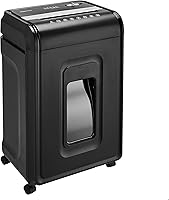
How to Choose a Paper Shredder
To choose a paper shredder, match its security level, feed method and run time to your documents and usual workload. Then check sheet capacity, bin access, allowed materials and space.
On this page (13 sections)
- How to choose a paper shredder for your needs
- Which security level should you choose?
- Is cross-cut or micro-cut right for you?
- How many sheets should a paper shredder handle?
- Should you choose manual feed or auto feed?
- How much run time do you need?
- What bin size and safety features matter?
- Which extra materials do you need to shred?
- Which paper shredder fits your routine?
- How should you set up a new paper shredder?
- What care helps prevent jams and interruptions?
- What buying mistakes should you avoid?
- How to choose a paper shredder and make the final decision
To learn how to choose a paper shredder, start with your documents, your usual stack and the time you can spend feeding it. Match security first, then choose a feed method and operating limits that fit your routine.
A few pages after opening the mail call for a different machine than a monthly file clear-out. The right choice handles your normal work without forcing you to sort around unsupported materials, wait through repeated cooling breaks or empty an awkward bin.
How to choose a paper shredder for your needs
Choose around a normal shredding session, with some room for larger jobs. Don't size the machine only for a one-time pile of old files.
Before comparing models, write down:
- Document type: household mail, financial records or work papers with disposal rules.
- Usual batch: a few pages, several folders or a stack of loose sheets.
- Frequency: daily, weekly or occasional clear-outs.
- Feed preference: short manual batches or a loaded auto-feed tray.
- Location: the available floor space, outlet and room to remove the bin.
Separate ongoing needs from your backlog. If years of stored papers are the only reason you need a larger machine, compare that purchase with a document-destruction service.
Keep papers that still need to be retained out of the shredding pile. Our guide to what documents you should shred at home helps with that first sorting step.
For a broader view of machine types and features, see our complete paper shredder buying guide.
Which security level should you choose?
Choose the security level your documents require before comparing convenience features. All 4 models below are P-4, so this shortlist won't meet a policy that requires a higher level.
For household use, consider what the papers reveal: account details, signatures, identification numbers or other personal information. Work records may have formal disposal requirements that take priority over your own preference.
Security levels describe the destruction result, while labels such as cross-cut and micro-cut describe the cutting style. Use the stated level as your starting point, then compare particle dimensions.
Read paper shredder security levels from P-1 to P-7 if you're unsure where to start. Shredding also doesn't replace secure storage before disposal, so avoid leaving sensitive papers in an open tray for days.
Is cross-cut or micro-cut right for you?
Choose micro-cut if smaller paper pieces are a priority; choose cross-cut when its security level meets your needs and the machine better fits your workload. A micro-cut name alone doesn't mean a higher security level.
The models here show why the distinction matters. Their particle dimensions differ, but each has the same P-4 classification.
Smaller pieces give you a finer destruction result, yet cut size won't tell you how long the machine runs or how much paper it accepts. Compare those separately rather than treating micro-cut as the answer to every buying question.
Read what a micro-cut shredder is for more detail. If a workplace policy names a required level, follow that requirement instead of choosing by the cut label.
How many sheets should a paper shredder handle?
Choose a sheet limit that covers your normal handful of paper without pushing the maximum each time. The number is a ceiling under stated paper conditions, not a target for every pass.
Thicker paper, folded sheets and attached documents can create a heavier load than the same count of plain pages. Keep batches smaller when the material changes, and follow the manual for each allowed item.
A higher manual capacity reduces the number of batches you feed. It doesn't provide an auto-feed tray, a larger bin or permission to keep shredding beyond the run-time limit.
Don't compare an auto-feed tray number directly with a manual sheet number. The tray holds a stack that the mechanism feeds over time; manual capacity describes what you can put through the opening at once.
See how many shredder sheets you need for help matching capacity to recurring jobs.
Should you choose manual feed or auto feed?
Choose manual feed for short jobs and mixed sorting, or auto feed for recurring stacks of suitable loose paper. Auto feed earns its place when loading a tray saves repeated manual batches.
Manual feed suits a routine where you open mail, check each page and shred it straight away. It also keeps the process simple when you have only a few documents at a time.
Auto feed suits a prepared stack, but preparation still matters. Follow the tray instructions for paper condition, alignment and fasteners, and keep cards or other unsupported materials out of the tray.
A machine's manual slot may accept materials its automatic tray cannot. Don't extend permission from one mode to the other.
Auto feed also doesn't mean you should leave an operating shredder unattended. Keep it within reach while you do nearby work, and follow its safety instructions.
How much run time do you need?
Choose a run time that covers your usual session, and check the required cooling break before buying. Run time is a limit on operation, not a promise that any stack will be finished within that period.
For frequent small jobs, feeding convenience may matter more than a long session limit. For file clear-outs, a cooling pause can become the main interruption.
Auto-feed machines can have separate limits for automatic and manual operation. If you mainly plan to use the manual slot, compare that mode rather than the larger headline figure.
Don't assume a model described as heavy duty can run all day. If your normal workload fills several operating cycles, look beyond this shortlist for a machine whose duty cycle matches that work.
What bin size and safety features matter?
Choose a bin you can empty easily in the space available. A larger bin reduces emptying breaks, but access matters as much as capacity.
Measure the machine's position with the bin fully removed, not just with everything closed. Leave enough room to handle the contents without dragging the shredder away from a desk each time.
A window or full-bin indicator helps you judge when to empty it. Avoid packing scraps down toward the cutters, and don't assume the bin can be filled to its rim.
Check controls, bin interlocks and any opening sensors as separate features. Safety aids support careful use; keep fingers, hair, loose clothing and cords away from the feed opening.
For a shared room, plan storage and access before buying. Children and pets should not be able to reach an operating machine.
Which extra materials do you need to shred?
Choose a model that explicitly accepts the materials you actually discard. Permission to shred staples doesn't also cover binder clips, and support for credit cards doesn't cover every card material.
Sort papers before starting. Remove envelopes with bulky contents, adhesive items and other materials unless the manual permits them.
For discs and cards, follow the required slot, quantity and feeding method. Keep non-paper waste separate from paper scraps where local disposal rules require it.
Metal credit cards need a disposal route suited to their construction. Never feed one simply because a machine accepts ordinary credit cards.
Keep aerosols away from the shredder, and use only maintenance products approved for that machine. Don't spray a general-purpose lubricant into the opening.
Which paper shredder fits your routine?
Choose the Bonsaii cross-cut for regular household batches, the Bonsaii manual micro-cut for smaller particles, the Bonsaii auto-feed for prepared stacks or the Fellowes for larger manual jobs. Each solves a different workflow problem.
Choosing a paper shredder: Bonsaii 12-Sheet Cross-Cut Shredder
Best for weekly home sorting. This is a sensible match for someone who sorts mail and files into manageable batches rather than saving everything for a long clear-out.
It accepts up to 12 sheets of Letter-size, 20 lb paper per pass, produces 5 x 25 mm particles and runs for up to 15 minutes. Those limits fit a routine with regular, bounded sessions.
It accepts CDs, credit cards and staples, with metallic credit cards excluded. A visible bin window helps you plan emptying, and the machine stops when the wastebasket is pulled out.
Auto start/stop handles normal feeding, while manual reverse gives you a control for backing out paper according to the instructions. Don't treat the jam-prevention feature as permission to overload it.
Skip it if you want automatic stack feeding, finer particles or longer uninterrupted manual sessions. Its strongest fit is routine paper disposal with a pullout bin.
Bonsaii 12-Sheet Micro-Cut Shredder
Best for privacy-focused home offices. Choose this model when smaller particles matter to you and you prefer feeding documents in short manual batches.
It runs for up to 20 minutes and has a 4.2-gallon pullout bin, the smallest bin in this group. That makes easy access for emptying worth checking before you choose its location.
It accepts CDs, credit cards, staples and paper clips. Automatic start/stop and overload protection support routine feeding, but sorting and sensible batch sizes remain part of the job.
Compared with the cross-cut Bonsaii above, its shorter paper pieces are the main reason to choose it. Both remain in the same security class.
Skip it if your priority is loading a whole stack at once or reducing emptying interruptions with a larger bin. It fits regular manual use better than unattended pile clearing.
Bonsaii 120-Sheet Auto-Feed Micro-Cut Shredder
Best for monthly paper clear-outs. Choose this model when most of your shredding consists of prepared stacks of loose paper.
The automatic tray accepts up to 120 sheets of paper, while the manual slot accepts up to 12 sheets. Manual mode also handles mail, cards and staples; metallic credit cards are excluded.
Its operating limits differ by mode: up to 30 minutes automatically or 10 minutes manually, followed by 60 minutes off. That cooling requirement matters if you intend to work through several stacks.
Casters help with repositioning, and the bin has a visible window. The machine also stops automatically when the bin is about 80% full, so leave time to empty it during larger jobs.
Skip it if most of your work involves a few pages or mixed items needing manual feeding. Its main benefit is fewer repeated feed batches, not extended manual operation.
Fellowes Powershred 99Ci 18-Sheet Jam-Proof Shredder
Best for shared office paperwork. Choose the 99Ci when several people generate regular documents and larger manual batches suit the workflow.
It runs for up to 30 minutes and cuts paper into 5/32 x 1½-inch particles. It also accepts staples, credit cards, paper clips, CDs/DVDs and junk mail.
The larger bin is useful when several users would otherwise leave emptying to someone else. Set a clear emptying routine rather than waiting until scraps interfere with operation.
Fellowes says SafeSense stops shredding when hands touch the paper opening. Keep hands clear and use the controls according to the manual.
At 17.31 x 11.44 x 25.19 inches and 36.4 lb, it needs a planned location. Skip it if you have very little floor space, only occasional papers or a specific need for auto feed.
How should you set up a new paper shredder?
Set it on a stable, level surface with ventilation and clear bin access. Read the operating and maintenance instructions before the first batch.
Remove packing materials as directed, seat the bin fully and locate the power, reverse and warning controls. Check that the cord reaches a suitable outlet without crossing a walkway.
Start with a small batch of ordinary paper. This lets you confirm feeding direction, controls and bin placement before working through sensitive documents or other permitted materials.
Keep a separate tray for papers awaiting review. A clear boundary between “keep” and “shred” is more useful than trying to rescue a document after feeding begins.
Plan where the scraps will go before filling the first bin. Check local recycling rules, since shredded paper may require different handling from whole sheets.
What care helps prevent jams and interruptions?
Keep the bin below its fill limit, use modest batches and follow the lubrication schedule. Routine care starts with preventing excess load and scrap buildup.
Use the oil or lubricant sheets approved for your model, in the amount and method the manual specifies. Our guide to how to oil a paper shredder explains the main steps.
Stop if feeding stalls or the machine signals overload. Use reverse only as instructed, and don't keep forcing paper into an opening that has stopped accepting it.
If paper remains stuck, follow our guide to clearing a paper shredder jam. Switch off and unplug before any permitted manual clearing, and never reach into the cutters.
Respect cooling instructions even when only a little paper remains. Repeatedly trying to restart a hot machine won't make the remaining job easier.
What buying mistakes should you avoid?
Avoid choosing by the biggest sheet number or the cut label alone. A useful machine must fit the documents, the session and the room.
| Common mistake | Better choice |
|---|---|
| Buying around a one-time backlog | Size for recurring work and plan the backlog separately |
| Comparing tray capacity with manual capacity | Compare each feeding mode on its own |
| Assuming micro-cut means a higher security level | Check the stated level and particle dimensions |
| Treating maximum sheets as the normal load | Allow for paper thickness and condition |
| Measuring only the closed machine | Include bin removal, lid access and ventilation |
| Buying auto feed for mostly mixed items | Check what the tray can accept |
| Ignoring cooling periods | Plan the full job, including required pauses |
Avoid choosing by noise figures alone, too. Room size, placement and the time you shred all affect how disruptive the task feels.
For a shared office, agree on who empties the bin and handles maintenance. Extra capacity won't solve a machine that everyone leaves full.
How to choose a paper shredder and make the final decision
Make the final choice by identifying which part of shredding takes the most effort. Choose the Bonsaii cross-cut for weekly household batches or its manual micro-cut sibling when smaller pieces are your priority.
Pick the Bonsaii auto-feed when loading prepared stacks will save repeated feeding. Choose the Fellowes 99Ci when larger manual batches and fewer bin-emptying breaks matter more than a small footprint.
Before ordering, confirm the security requirement, space and operating limits for your chosen routine. For more home-focused options, see our best paper shredders for home use.
Frequently asked questions
How do I choose the right paper shredder?
Choose a paper shredder by matching security to your documents and capacity to your usual workload. Next, compare manual feed with auto feed, check run time and cooling requirements, and measure the available space.
Bin access and support for staples or cards should fit how you sort papers.
Is cross-cut or micro-cut better for home use?
Choose by security level and particle size rather than the cut name alone. All 4 models here have a P-4 level, although their particle sizes differ.
Micro-cut suits buyers who prefer smaller pieces; cross-cut can suit routine household documents when P-4 meets their disposal needs.
How many sheets should a home shredder handle?
A 12-sheet model is a useful starting point for recurring household batches, but your usual stack matters more than a fixed target. Sheet limits depend on paper size and thickness.
Feed fewer thick or folded sheets, and consider auto feed if you regularly clear piles of loose paper.
Do I need an auto-feed paper shredder?
Choose auto feed when you regularly shred stacks of loose paper and want fewer repeated trips to the feed slot. It is less useful for a few daily pages or mixed materials that need manual feeding.
Check tray rules, separate operating limits and cooling time before choosing.
What shredder run time should I look for?
Choose a run time that covers your usual session with room for occasional larger jobs. Check the cooling period too, since a long pause can interrupt a backlog.
Auto-feed models may have different limits for each mode, so compare the mode you expect to use most.