6 Best High Security Paper Shredders (October 2026)
The best high security paper shredders include the Amazon Basics 24-Sheet Cross-Cut Shredder for bulky manual batches, the Aurora AU1210MA 12-Sheet Micro-Cut Shredder for lengthy office clearouts, and the Amazon Basics 200-Sheet Auto-Feed Cross-Cut Shredder for large filing backlogs.
On this page (7 sections)
- Which high security paper shredder fits your workload?
- The best high security paper shredders for different routines
- What should you compare before buying a high security shredder?
- How should you set up a high security paper shredder?
- How do you maintain a high security paper shredder?
- Which buying and use mistakes should you avoid?
- Which high security paper shredder should you choose?
The Amazon Basics 24-Sheet Cross-Cut Shredder is our top high security paper shredder for bulky manual batches. Choose the Aurora AU1210MA if smaller P-4 pieces and a longer manual session matter more, or an auto-feed model if repeated loading is your main chore.
All six picks are P-4 shredders. None meets a requirement for P-5 or higher, and a large sheet capacity does not make a shredder more secure.
Start with your documents, then consider how they reach the shredder: a few sheets daily, stacks after filing, or a large backlog. That pattern is more useful than choosing the biggest number on the box.
Our guide to paper shredder security levels explains the first decision. The complete paper shredder buying guide covers the wider choices, while our micro-cut shredder guide explains that cut style.
Our picks at a glance
-
1
 Best for bulky manual batches
Amazon Basics 24-Sheet Cross-Cut Shredder
8.6/10 our score
See it on Amazon -
2
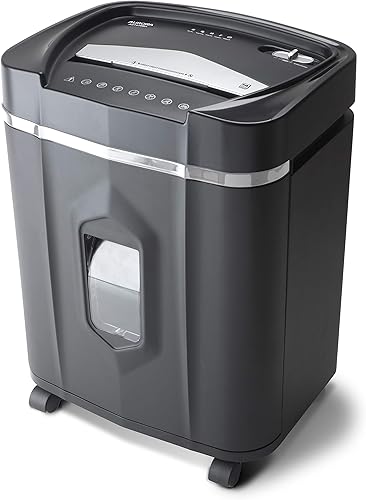 Best for lengthy office clearouts
Aurora AU1210MA 12-Sheet Micro-Cut Shredder
8.3/10 our score
See it on Amazon -
3
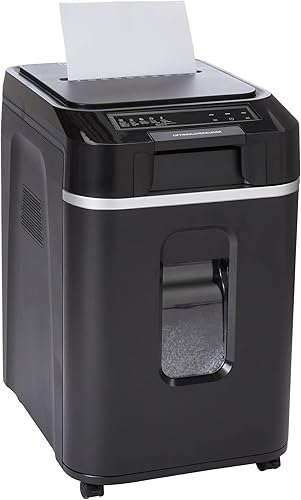 Best for large filing backlogs
Amazon Basics 200-Sheet Auto-Feed Cross-Cut Shredder
8.0/10 our score
See it on Amazon
- 4
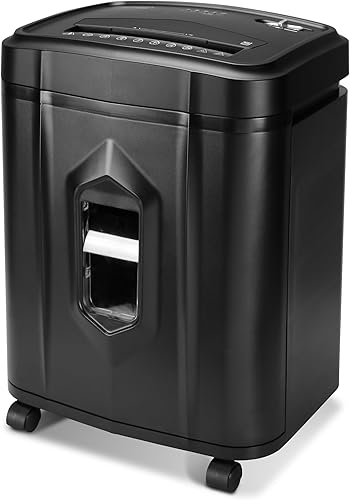 Check it
Aurora AU1225MA 12-Sheet Micro-Cut Shredder
Best for routine home filing - 5
 Check it
Aurora AU120MA 120-Sheet Auto-Feed Shredder
Best for weekly paper batches - 6
 Check it
Aurora AU120MB 120-Sheet Auto-Feed Shredder
Best for light office decor
Which high security paper shredder fits your workload?
Choose manual feed for papers you sort as you go and auto-feed for prepared stacks. Within those groups, decide whether thicker batches, smaller pieces or a longer operating window will save you the most work.
For example, clearing envelopes and checking old statements favors manual feeding because you're already handling each document. A neatly sorted pile from a filing cabinet is a better reason to choose an automatic tray.
We compared security level, cut dimensions, feeding limits, run time, collection space and jam controls. The product sections explain where each option fits and which tradeoffs should rule it out.
| Product | Best for | Cut type | Sheet capacity | Run time | Our score |
|---|---|---|---|---|---|
| Amazon Basics 24-Sheet Cross-Cut Shredder | bulky manual batches | Cross-cut | 24 sheets | 40 minutes on, 50 minutes off | 8.6 |
| Aurora AU1210MA 12-Sheet Micro-Cut Shredder | lengthy office clearouts | Micro-cut | 12 sheets | 60 minutes | 8.3 |
| Amazon Basics 200-Sheet Auto-Feed Cross-Cut Shredder | large filing backlogs | Cross-cut | 60 minutes auto-feed, 10 minutes manual | 8.0 | |
| Aurora AU1225MA 12-Sheet Micro-Cut Shredder | routine home filing | Micro-cut | 12 sheets | 40 minutes | 8.0 |
| Aurora AU120MA 120-Sheet Auto-Feed Shredder | weekly paper batches | Micro-cut | 30 minutes | 7.8 | |
| Aurora AU120MB 120-Sheet Auto-Feed Shredder | light office decor | Micro-cut | 30 minutes | 7.6 |
The best high security paper shredders for different routines
The Amazon Basics manual model leads for thick batches, while the Aurora AU1210MA is the stronger fit for extended manual shredding with smaller pieces. The remaining picks serve prepared backlogs, routine filing and automatic weekly batches.
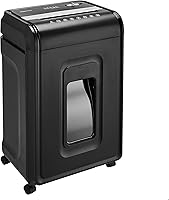
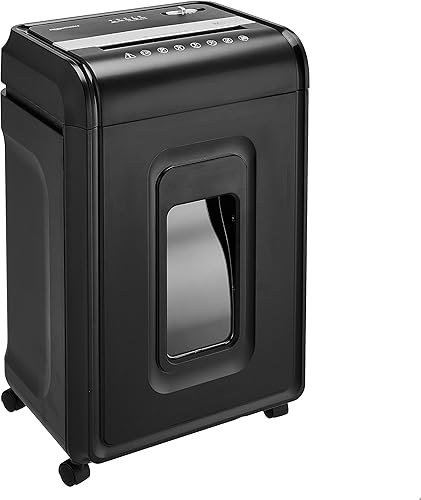
Amazon Basics 24-Sheet Cross-Cut Shredder: Best for bulky manual batches
- P-4 cross-cut
- 24-sheet capacity
- 40 minutes on and 50 minutes off
- 7-gallon pullout bin
Choose this manual-feed model for thicker paper stacks and a larger collection bin. Its cross-cut pieces are larger than the micro-cut pieces from the Aurora options.
Pros
- Highest manual sheet capacity in this group
- 7-gallon pullout bin
- Casters included
Cons
- Larger pieces than the micro-cut options here
- Requires a 50-minute rest after 40 minutes on
The Amazon Basics 24-sheet model suits someone who sorts paperwork at a desk, then feeds a substantial handful at once. Its 24-sheet limit applies to 20-pound bond paper, so heavier stock calls for smaller batches.
It makes P-4 cross-cut pieces measuring 5/32 by 1-1/2 inches. Those are larger than the Aurora micro-cut pieces here, making this a capacity-first choice within the same security level.
A 7-gallon pullout bin gives it more collection space than the Aurora options. Casters help with repositioning, though you'll still need clear floor space and room to remove the bin.
The operating cycle is 40 minutes on, followed by 50 minutes off. That suits a planned clearout with a substantial break afterward, rather than repeated sessions with little recovery time.
Auto-reverse helps respond to jams, and the forward and reverse controls give you options for following the clearing instructions. Indicators cover a full bin, open door, overload and overheating.
It accepts staples and small paper clips, plus CDs, DVDs and credit cards through the dedicated slot one at a time. Amazon Basics excludes metallic credit cards and warns against aerosols in or around the machine.
Skip this model if your priority is smaller paper fragments or automatic tray feeding. Its strongest reason to buy is fewer manual loading passes, not a higher security class.
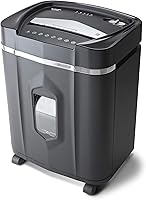
Aurora AU1210MA 12-Sheet Micro-Cut Shredder: Best for lengthy office clearouts
- P-4 micro-cut
- 12-sheet manual capacity
- 60-minute continuous run time
- 5-gallon pullout bin
This manual-feed option suits longer sessions where smaller paper pieces matter more than a thick stack per pass. It also accepts CDs, DVDs and credit cards.
Pros
- Longest manual run time in this group
- Anti-jam auto-reverse
- Aurora describes operation as ultra-quiet
Cons
- Requires repeated manual loading
- Smaller bin than either Amazon Basics option
The Aurora AU1210MA is the manual-feed choice for a long filing session where you want smaller paper pieces. Its 60-minute continuous run time is the longest manual operating window in this group.
It handles up to 12 sheets per pass and produces P-4 pieces measuring 5/32 by 15/32 inches. All four Aurora models here share that paper cut size.
That combination suits a home office where documents need checking before disposal. You can sort and feed manageable batches without choosing a machine primarily around a large automatic tray.
The AU1210MA also accepts CDs, DVDs, credit cards and small paper clips. Follow the material-specific directions, since the paper sheet limit does not tell you how many other items to feed.
Its 5-gallon pullout bin has status lights for standby, overheating, a full bin, overload and an open door. Anti-jam auto-reverse provides a different clearing approach from the AU1225MA's manual reverse.
Aurora describes operation as ultra-quiet, but that does not establish how it will sound beside your desk. Schedule shredding outside calls if interruptions matter.
Skip it if you want to load a prepared stack and reduce repeated feeding. The longer operating window helps with manual work; it does not remove that work.
Amazon Basics 200-Sheet Auto-Feed Cross-Cut Shredder: Best for large filing backlogs
- P-4 cross-cut
- 200-sheet auto-feed tray
- 60-minute auto-feed run time
- 8.5-gallon pullout bin
The largest automatic tray and bin in this group suit planned document clearouts. Choose it primarily for tray feeding, since the manual slot has a shorter operating limit.
Pros
- Largest auto-feed tray in this group
- No need to remove staples
- Energy-saving sleep mode
Cons
- 10-minute manual-feed run time
- Larger pieces than the micro-cut options here
The Amazon Basics 200-sheet auto-feed model fits large, prepared paper backlogs. Its automatic tray holds up to 200 sheets, and the 8.5-gallon pullout bin is the largest in this group.
Choose it when loading many small batches is the part of shredding you most want to reduce. It makes P-4 cross-cut pieces measuring 5/32 by 25/32 inches, shorter than those from the Amazon Basics manual model.
The feed method changes the operating limit substantially. It runs for up to 60 minutes through the automatic tray or 10 minutes through the manual slot, followed by a 45-minute cool-down.
The manual slot accepts up to 10 sheets. If you expect to use that slot most of the time, a manual-focused model is a better match than buying this one for its headline tray capacity.
Staples can remain in the paper, but that permission should not be extended to other fasteners. Prepare stacks according to the tray instructions rather than treating the compartment as a mixed-material disposal box.
Anti-jam auto-reverse, sleep mode and status lights support routine use. Amazon Basics also warns against aerosols nearby and metallic credit cards.
Skip it if micro-cut fragments are your priority. Its main advantages are batch loading and collection space, so make sure both solve a real problem in your routine.
Aurora AU1225MA 12-Sheet Micro-Cut Shredder: Best for routine home filing
- P-4 micro-cut
- 12-sheet capacity
- 40-minute continuous run time
- 5-gallon pullout bin
A manual micro-cut option for regular household paperwork and occasional disc disposal. It suits buyers who can finish their usual job without the AU1210MA's longer operating window.
Pros
- Accepts CDs, DVDs and credit cards
- Thermal and overload protection
- Aurora one-year limited warranty
Cons
- Manual reverse rather than automatic jam reversal
- Smaller bin than either Amazon Basics option
The Aurora AU1225MA suits regular household filing sessions that don't call for the AU1210MA's longer operating window. It combines a 12-sheet manual capacity with a 40-minute continuous run time.
It shares the other Aurora models' P-4 paper cut dimensions. Choose it for routine document disposal where you're happy to stay beside the machine and feed each batch yourself.
CDs, DVDs, credit cards and small paper clips are also accepted. This gives it a role in clearing a drawer of old records and media, provided you use the correct feeding method for each material.
The 5-gallon pullout basket supports straightforward emptying. Leave enough room in front of the machine to remove it without having to move furniture each time.
Auto start handles normal feeding, while manual reverse is available for clearing jams. Don't assume it has the AU1210MA's automatic jam-reversal feature.
Thermal and overload protection include automatic shutoff, with lights for power, overheating, overload, an open door and a full bin. Aurora backs this model with a one-year limited warranty.
Skip it for prepared stacks that you want to load into a tray, or for frequent manual sessions that need the longer-running Aurora. It fits best when your ordinary workload already falls comfortably inside its limits.
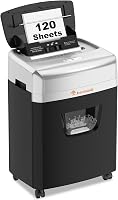
Aurora AU120MA 120-Sheet Auto-Feed Shredder: Best for weekly paper batches
- P-4 micro-cut
- 120-sheet auto-feed capacity
- 30-minute continuous run time
- 5-gallon pullout bin
Choose this black auto-feed model for recurring stacks of paper and smaller P-4 pieces. The separate manual slot handles short jobs without loading the tray.
Pros
- Micro-cut output with automatic feeding
- Auto-reverse and overload protection
- Aurora describes operation as ultra-quiet
Cons
- Shorter run time than the manual Aurora models
- Smaller tray than the Amazon Basics auto-feed option
The Aurora AU120MA suits recurring weekly stacks when you want automatic feeding and the Aurora models' smaller P-4 fragments. Its tray accepts up to 120 sheets, with a separate 10-sheet manual feed capacity.
That lets you use the tray after sorting a batch and the manual slot for a few papers arriving later. You don't need a full tray to make the machine useful between filing sessions.
Its continuous run time is 30 minutes, and the pullout bin holds 5 gallons. Plan larger clearouts as separate jobs rather than assuming tray capacity means unlimited operation.
Automatic start and stop, jam-prevention auto-reverse and overload protection support feeding. Status lights identify standby, overheating, a full bin, overload, feed errors and an open door.
Aurora describes operation as ultra-quiet. Treat that as a brand claim rather than a reason to place the machine beside a microphone or run it during a meeting.
The black finish is the main visual distinction from the AU120MB below. These two models share the same core feeding capacities, cut size and operating window.
Skip the AU120MA if most of your work is manual feeding or your usual stack exceeds its tray capacity. The manual Aurora models and larger Amazon Basics automatic option address those different workloads.
Aurora AU120MB 120-Sheet Auto-Feed Shredder: Best for light office decor
- P-4 micro-cut
- 120-sheet auto-feed capacity
- 30-minute continuous run time
- 5-gallon pullout bin
The white-and-black alternative to the AU120MA has the same core feeding capacities and operating window. Choose it when that finish fits the room better.
Pros
- Micro-cut output with automatic feeding
- Auto-reverse and overload protection
- White-and-black finish
Cons
- No capacity or run-time advantage over the AU120MA
- Smaller tray than the Amazon Basics auto-feed option
The Aurora AU120MB fits the same paper routine as the AU120MA, with white-and-black styling for a room where the shredder stays visible. It offers no capacity or run-time advantage over the black model.
Its core limits are a 120-sheet automatic tray, a 10-sheet manual feed capacity and a 30-minute continuous run time. It also shares the same P-4 micro-cut dimensions and 5-gallon bin.
Choose it when automatic feeding suits your weekly paperwork and the finish is a useful deciding factor. Color should settle a close choice after the document requirements and workload already fit.
Automatic start and stop, jam-prevention auto-reverse and overload protection mirror the AU120MA's core controls. The indicators cover standby, overheating, a full bin, overload, feed errors and an open door.
Both Aurora automatic models measure 11.3 inches deep by 14.41 inches wide by 19.69 inches high. Those dimensions describe the body, so allow extra space for loading and pulling out the bin.
Don't choose this model expecting stronger document security than the AU120MA. Their shared paper cut and P-level give you no basis for that distinction.
Skip both color variants if you need disc disposal or longer manual sessions. The manual Aurora options specifically accept CDs and DVDs, while those materials are not established uses for these automatic models.
What should you compare before buying a high security shredder?
Compare required security, paper habits and operating limits, in that order. A machine that fits those three points will be more useful than one chosen for maximum capacity alone.
Does a P-4 high security paper shredder meet your needs?
P-4 can suit routine household paperwork when no stricter disposal requirement applies. For work documents, follow the applicable records policy before choosing any of these models.
Micro-cut is a cut-style label, not a substitute for the security level. The Aurora options make smaller pieces than the cross-cut choices here, but they remain in the same P-4 class.
A policy requiring P-5 or higher rules out this entire group. Read the P-4 vs P-5 comparison before spending time comparing feed trays or bins.
Are you shredding a stack or sorting as you go?
Choose automatic feeding for paper you've already checked and prepared. Choose manual feeding when you need to open envelopes, separate documents or decide what to keep as you work.
Tray capacity and manual capacity describe different tasks. A large automatic number does not mean you can push that stack through the narrow manual opening.
Paper thickness also changes the practical load. Folded sheets and heavier stock can place more demand on the cutters than the same count of ordinary flat sheets.
Leave room below the maximum when the paper is thicker or uneven. Our guide to shredder sheet capacity explains how to judge a batch without treating every sheet as identical.
Will a cooling break interrupt the job?
Choose a run-time limit that fits the length of your normal session, including pauses for sorting and emptying. Continuous run time describes an operating limit, not a promise that a particular backlog will finish within it.
The longer-running option is most useful when sustained shredding is common. For a handful of papers each day, extra operating time may matter less than easy access and simple loading.
Automatic shutoff protects the motor, but it should not become your routine signal to stop. Follow the required cooling interval even if you're close to finishing the last stack.
Can you empty the bin where it will stand?
Choose a bin you can remove and empty easily in the available space. A larger container can reduce interruptions, but it still needs a clear path out of the cabinet.
Don't estimate document capacity from gallons alone. Piece size, how the shreds settle and the point at which the full-bin sensor responds all affect when you need to empty it.
Check whether your model permits a liner before adding one. Our paper shredder bag guide explains the tradeoffs between liners and emptying directly into a suitable container.
How should you set up a high security paper shredder?
Place the shredder on a stable, dry surface with clear access to the feed opening, controls and bin. Read the operating instructions before loading paper, especially when switching between an automatic tray and a manual slot.
Measure the working space, not just the machine
Allow room above the shredder to open and load the tray or feed papers comfortably. Keep the bin's pullout path clear so emptying doesn't require dragging the machine around.
Position the cord where people won't trip over it, and keep ventilation openings clear. Avoid a location where hanging cords, loose clothing or curtains could reach the intake.
Keep children and pets away from the feed opening. Use the off position and follow the unplugging instructions whenever the machine needs cleaning or access beyond normal operation.
Sort documents before loading
Separate papers to keep from papers ready for destruction. If you're unsure what belongs in each pile, use our guide to documents you should shred at home.
Remove binder clips and other unapproved attachments. Permission to shred staples or small paper clips on one model does not establish permission on every model or through every feed route.
Flatten and align paper as the instructions require, especially for automatic feeding. Keep discs and cards separate until you're ready to use the approved method for those materials.
Make the first job manageable
Begin with a small, straight stack to learn the controls and recognize the normal feed behavior. Find the reverse control and understand the indicator lights before attempting a larger clearout.
Empty the bin before a planned batch if it's already partly full. Automatic loading reduces repeated feeding, but the job can still stop for a full bin or a feed error.
How do you maintain a high security paper shredder?
Keep the cutters cared for, the bin below its fill limit and the motor within its operating cycle. Regular small tasks are easier to manage than a jammed feed opening above an overfilled container.
Empty without pushing shreds toward the cutters
Stop the machine and follow the instructions for removing the bin. Don't reach into the cutting area or push upward on packed shreds to create more room.
Empty before paper builds up against the underside of the cutting unit. Refit the bin fully afterward, since an open-door or bin-position warning can prevent normal operation.
Keep shredded paper contained during disposal. Follow local collection rules rather than assuming loose shreds belong in the same recycling stream as whole sheets.
Use the approved lubrication method
Follow the model's care schedule and use only the approved cutter lubricant or sheets. Cooking oil, household sprays and improvised substitutes are poor choices for a machine with electrical parts.
See how to oil a paper shredder for the process. Our comparison of shredder oil and lubricant sheets helps you match the method to the instructions.
Respond to a jam instead of adding more paper
Stop feeding as soon as paper stalls or an overload warning appears. Use reverse only as directed, and reduce the next batch rather than trying the same overloaded stack again.
Disconnect power before any clearing step that requires access beyond the normal controls. Never use fingers to pull material from the cutters.
Our guide to clearing a paper shredder jam explains the basic sequence. If the problem returns, why a shredder keeps jamming can help you identify the cause.
Which buying and use mistakes should you avoid?
Avoid treating capacity, security and convenience as interchangeable. They solve different problems, and choosing for the wrong one can leave you with a capable machine that doesn't suit your papers.
Buying for a rare backlog
Don't let one unusually large clearout dictate every part of the choice. Consider whether you can divide that job into sessions, then buy around the weekly routine you'll have afterward.
A large automatic tray earns its place when prepared stacks keep returning. It offers less benefit if most documents arrive singly and need a quick decision before disposal.
Assuming every material uses the same opening
Check the approved feed route before inserting cards or discs. A shredder accepting a material does not mean that material belongs in its automatic paper tray.
Never use a paper sheet count as a guide for plastic or optical media. Keep metallic cards out of machines that exclude them, and don't force any item because it appears narrow enough.
Expecting automatic feeding to mean unattended operation
Follow the supervision instructions even when the tray handles the paper feeding. Auto-reverse and overload protection help manage interruptions; they don't remove the need to notice them.
Choose a time when you can respond to a full-bin warning or feed error. Loading a tray just before leaving may turn a convenient feature into a delayed job.
Confusing smaller pieces with complete records disposal
Shred only after deciding the document is ready to discard. Physical destruction doesn't remove a saved scan, email attachment or cloud copy of the same record.
Keep documents awaiting disposal in a controlled place, too. A suitable shredder cannot protect a pile of intact papers left where others can read them.
Which high security paper shredder should you choose?
Choose your high security paper shredder by the task you repeat most often. Once P-4 meets your requirements, feeding style and session length should settle the choice.
Pick the Amazon Basics 24-sheet model for bulky manual batches. Choose the Aurora AU1210MA for longer manual sessions with smaller pieces, or the AU1225MA when routine household filing fits its shorter operating window.
Pick the Amazon Basics automatic model for the largest prepared stacks and bin here. Choose the Aurora AU120MA for recurring automatic batches with micro-cut output, or the AU120MB when you prefer the white-and-black finish.
If you need a security level above P-4, start a different shortlist. Use the security levels guide to establish that requirement before comparing convenience features.
Our top 3 picks at a glance
-
1
Best for bulky manual batches
Amazon Basics 24-Sheet Cross-Cut Shredder
8.6/10 our score
See it on Amazon -
2
Best for lengthy office clearouts
Aurora AU1210MA 12-Sheet Micro-Cut Shredder
8.3/10 our score
See it on Amazon -
3
Best for large filing backlogs
Amazon Basics 200-Sheet Auto-Feed Cross-Cut Shredder
8.0/10 our score
See it on Amazon
Frequently asked questions
What makes a paper shredder high security?
The security level and resulting cut size matter more than the words high security. All six picks here are P-4, although their paper pieces differ in size.
Match that level to your document requirements before comparing capacity.
Our guide to paper shredder security levels explains the P-level scale.
Is micro-cut more secure than cross-cut?
The micro-cut models here produce smaller paper pieces than either cross-cut option, but all six carry the same P-4 level. The micro-cut label alone does not establish a higher security class.
Compare the actual dimensions and your required level.
The micro-cut vs cross-cut guide explains the difference.
Is a P-4 shredder enough for home use?
P-4 can suit routine household document disposal when no stricter requirement applies. Check any work or records policy that covers the papers, especially if you bring office documents home.
None of these models meets a requirement for P-5 or higher.
Our P-4 vs P-5 shredder guide helps you compare.
Should I choose auto-feed or manual feed?
Choose auto-feed for recurring stacks of suitable paper when repeated loading is the main chore. Manual feed suits documents that arrive a few at a time or need sorting as you go.
A tray's capacity is separate from the manual slot's limit.
Follow the instructions for loading, accepted materials and supervision.
How do I keep a high security shredder running well?
Use manageable paper batches, empty the bin before it overfills and allow the required cooling breaks. Follow the model's instructions for cutter lubrication rather than choosing a lubricant by guesswork.
Our guides explain how to oil a paper shredder and how to clear a paper shredder jam.